I Test the DFL tool for WD and here what i found about
First , here is a general look for it's
functions and advantages
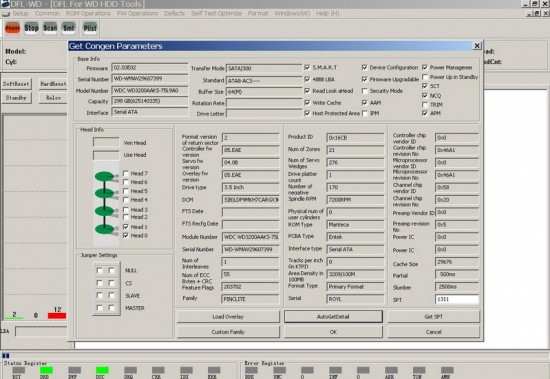
1- this is the start menuAttachment:
 start menu1.JPG [ 121.26 KiB | Viewed 23633 times ]
it all you to get details about the drive and auto detect it in normal or kernel mod and to load overlay with 011 module
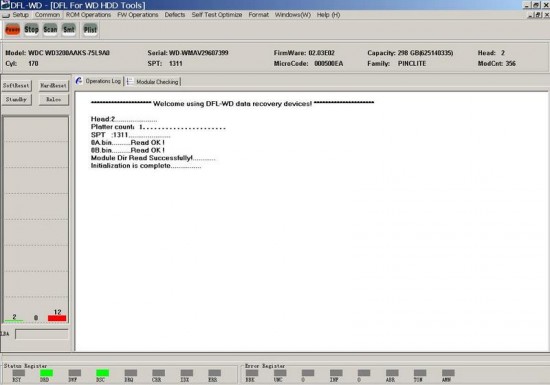
2- the main menu of the program .to start dealing with the driveAttachment:
 main.JPG [ 46.9 KiB | Viewed 23633 times ]
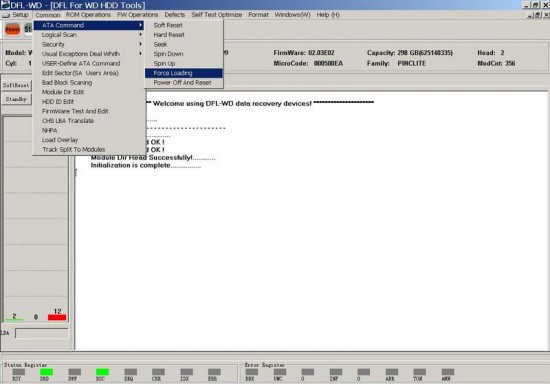
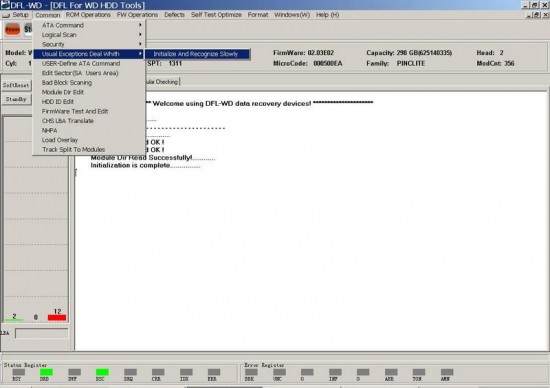
3- the fist menu is common Attachment:
 common1.jpg [ 48.27 KiB | Viewed 23633 times ]
A- you can use ATA command here to force the drive to power up even if you are in kernel mode with the 3 jumpers
B- logical scan and it allow you to add bad tracks to p-list
Attachment:
 common2.jpg [ 48.68 KiB | Viewed 23633 times ]
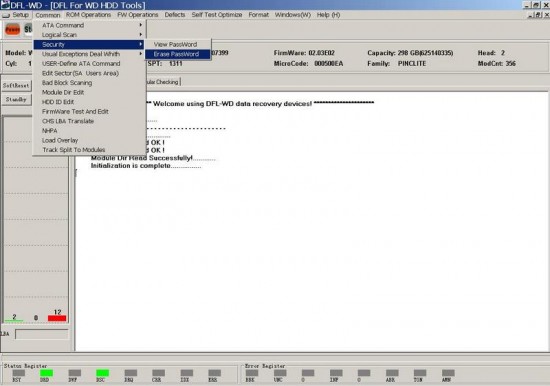
C-security to view and erase password
D- to resolve the slow problem in hdd with pcb 701640
Attachment:
 common3.jpg [ 49.47 KiB | Viewed 23633 times ]
E-user Define ATA command to type commands by your self
F- firmware test and Edit " edit modules and tracks and Rom and ram and ABA in hex
G- bad block scanning in the drive
H- NHPA to set max
I- load overlay with 011 module
J- Track split to module allow you to get the modules from the tracks this one is new
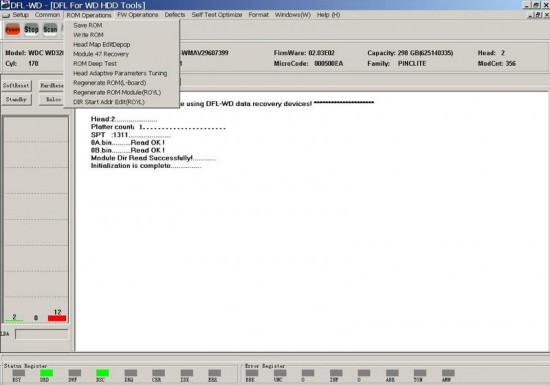
4- Rom operationAttachment:
 rom.JPG [ 48.62 KiB | Viewed 23633 times ]
A- Read and write Rom and it's modules
B- head map edit and depop allow you to depop head even in new Marvell and it works fine
c-recover the original 47 from the SA
D-Rom deep test . can test the structure of the rom file to let you know before re-flashing it
E-Head adaptive parameter tuning " microjog "
F- Regenerate rom for L- shape pcb and royal
G- directory Start address allow you to Chang the Start address in the new wd drives that come with " no Device error"
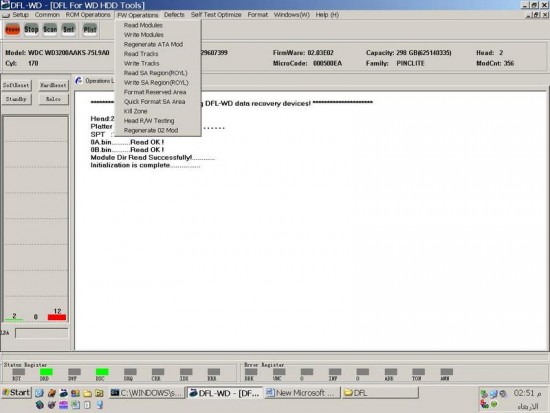
5- Fw menu Attachment:
 fw.JPG [ 55.58 KiB | Viewed 23633 times ]
allow you to
A- read & write modules and tracks and SA region very fast actually than any usb Box work with WD i ever test ,specially about tracks
B- regenerate the ATA if it damage from the SA " i like it "
C- format SA , alow you to format the hole SA and rewrite it again
D- regenerate 02 module
E- Kill zone " split your data aria to about 20 part you can delete
any part of them " i like it "
F- Read write test , it's here areal test for the head
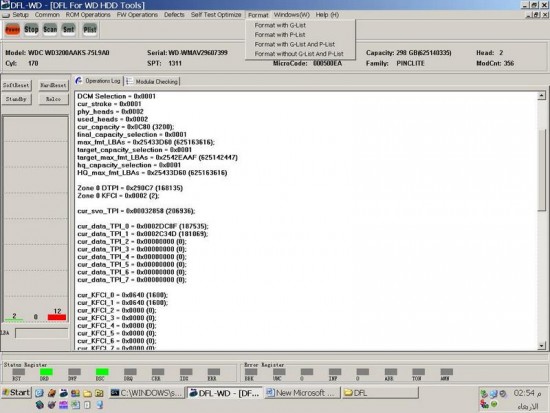
6- format menu Attachment:
 format1 .JPG [ 74.11 KiB | Viewed 23633 times ]
to format the drive with p or g list or with both or with out
7-Arco Attachment:
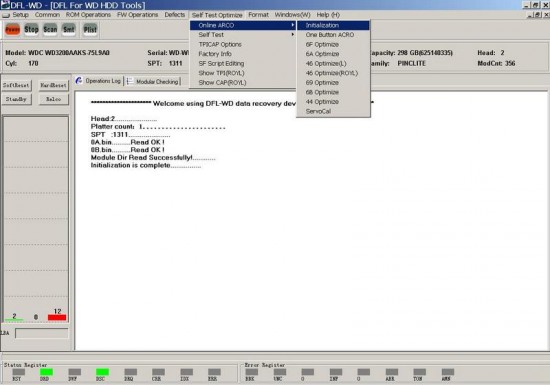 Arco.jpg [ 50.37 KiB | Viewed 23633 times ]
and its here along story and actually very Active and
online " i like it"
8- Self scanAttachment:
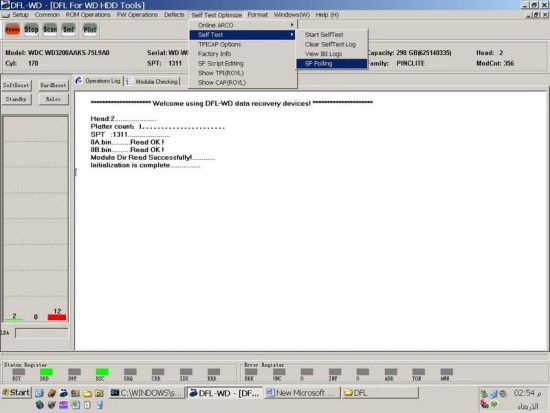 self.JPG [ 56.52 KiB | Viewed 23633 times ]
it's real professional here and active view and it's script is very simple and you can use the factory info to arrange it or do it your self
9- Defects meu A- G , P , T & SA list to show and merge and erase
B- smart , with clear and other options " i like it"
C- translator clear and regeneration
Disadvantages 1- the manual is useless , can not explain any thing
2- some error message may you face
3- logic scan need to improve
4- the path of your firmware not saved so you must go manually every time
5- regenerate p-list you must make anew folder for it
6- the tabes you open can't close like scan tab or module tab
actually the Vendor is co-operate and promise for updates with all the above



 FAQ
FAQ Search
 Login
Login Register
 HDDGURU FILES







 )
)