MultiDrive – free backup, clone & wipe disk utility from Atola Technology

All times are UTC - 5 hours [ DST ]


Switch to mobile style


Post new topic Reply to topic  [ 4 posts ] 
Author Message
 Post subject: A few Seagate Barracuda questions
PostPosted: March 16th, 2009, 12:02 
Offline

Joined: March 16th, 2009, 11:38
Posts: 6
Location: UK UK UK UK UK
Hello All

It seems it's been a fortnight for dead drives among people I know. A mate's external died, but he managed to swap PCB and get it working

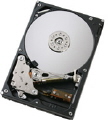
Then my Lacie Big Disk 1TB (2x500gb Barracuda 7200.10 drives) died; should've read the warning signs as there were a few strange cheep-cheep and clunk noises a few weeks ago. From reading posts here I now believe that one of the drive mech spindles has seized; it just makes a buzzing/vibrating noise instead of spinning up. Swapping the controller card from the other drive didn't help. As this is striped RAID, the data on the other drive is effectively useless. I'm not overly concerned; I don't think I've lost anything of importance. I was planning to check this, and then as an experiment, build a desktop clean room and open up the drive, see how mechanically stuck the platters are, give em a push and see if they spin etc, maybe I'll attempt to transfer them to the working mech or send to one of you pro's if there really is some data on there I need..
Any comments?

Second, the drive I've bought to replace the failed Lacie 1TB is a 1TB Maxtor Basics. I deliberately went for Maxtor hoping it would contain a maxtor mech; I've never had a problem with any maxtor drive I've owned, whereas fujitsu, ibm, hitachi, seagate have all died, and WD get too hot. I am reasonably unimpressed to find (upon cracking open a friend's Maxtor Basics 500gb - see below) that a 500gb maxtor basics drive actually contains a seagate mech. Damnit, why can't what's on the box be what's in the box? :) So can anyone advise: Who makes the mech inside a Maxtor Basics 1TB?

Third, mentioned above; it seems my friend's stupid boyfriend plugged the 20V laptop power supply into the 12V input (connector polarity unknown, standard dc in inner/outer ring style plug like nokia phone charger) of the external drive. There's a bang, and she gets quite annoyed that he's just hosed her drive. Unknown if it was connected to usb at the time. It was dropped off at the local computer shop (clueless nuggets) who opened it up, pronounced it dead (they connected it to a computer and the computer crashed) and charged a tenner for investigating and finding it faulty.
Anyways, I digress. So this maxtor basics drive has had 20 into its 12v socket; do I bother buying her an e-sata enclosure and putting the mech in it, or is it sure-fire that the mech PCB is cooked too and needs replacing? The code on it is:
PCB 100466725 REV A DLAJ-4
A barcode sticker on the pcb reads: 100468974 H M839S9Z5

Thanks for reading guys


Top
 Profile  
 
 Post subject: Re: A few Seagate Barracuda questions
PostPosted: March 16th, 2009, 12:11 
Offline
User avatar

Joined: October 2nd, 2005, 0:30
Posts: 288
Location: Jakarta - Indonesia
1. It's your rights to do so, but I wouldn't recommend it. DR company will charge additional cost if they found drive's cover has been opened previously before sent to them. And the dangerous part is, if you attempt the seized rotor yourself without proper tools or understand the risk of misalignment. It might damage your data further

2. Seagate, for sure.

3. I don't think it's useful. Damaged components should be checked and fixed first, before you connect it to any devices.

_________________
My Forum


Top
 Profile  
 
 Post subject: Re: A few Seagate Barracuda questions
PostPosted: March 16th, 2009, 12:27 
Offline

Joined: March 16th, 2009, 11:38
Posts: 6
Location: UK UK UK UK UK
1) I just read that 1TB Lacie might also be JBOD, and the drive was reasonably well defragged so a raw file recovery on the working mechanism might have some results! - I have no idea which half of the data it would be. As noted, I don't really care about what is lost; it'll be interesting to see if the spindle is stuck and how badly. Pro DR company won't see this drive, unless of course, I donate it to them for research purposes :)

2) What do I buy to get away from Seagate? (Stupid boy here didn't realise that Seagate and Maxtor were the same company) Doh! How about one of these (my other one of these is WD)

3) I cant quite work out what your answer means; do you say that I shouldnt bother to remove this mech and try it in another enclosure?


BTW the link in your sig says Access Denied


Top
 Profile  
 
 Post subject: Re: A few Seagate Barracuda questions
PostPosted: March 16th, 2009, 13:14 
Offline
User avatar

Joined: October 2nd, 2005, 0:30
Posts: 288
Location: Jakarta - Indonesia
2. Best idea would be buying a hard drive's brand that you think has served you well for years (may be Maxtor, but I don't know how you're gonna get one which is still original Maxtor made) and put it into an enclosure, a high quality one. Vantec USB enclosure is good one, or Thermaltake

3. Yep. :wink: Check the drive's components condition first with multimeter.

Access denied ? I will check it out. Probably has something to do with free proxies.

_________________
My Forum


Top
 Profile  
 
Display posts from previous:  Sort by  
Post new topic Reply to topic  [ 4 posts ] 

All times are UTC - 5 hours [ DST ]


Who is online

Users browsing this forum: Google [Bot] and 59 guests


You cannot post new topics in this forum
You cannot reply to topics in this forum
You cannot edit your posts in this forum
You cannot delete your posts in this forum
You cannot post attachments in this forum

Search for:
Jump to:  
Powered by phpBB © 2000, 2002, 2005, 2007 phpBB Group