MultiDrive – free backup, clone & wipe disk utility from Atola Technology

All times are UTC - 5 hours [ DST ]


Switch to mobile style


Post new topic Reply to topic  [ 5 posts ] 
Author Message
 Post subject: SMART error
PostPosted: May 27th, 2013, 6:03 
Offline
User avatar

Joined: May 6th, 2013, 2:48
Posts: 83
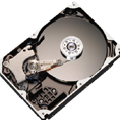
I am asking to seniors,I have a problem about hard disk.I have not any special tool of
MAXTOR.plz anyone who can help me solving MAXTOR hdd problems

MAXTOR
DiamondMax plus 9
160 GB SATA/150 HDD


Attachments:
MAXTOR.JPG
MAXTOR.JPG [ 4.02 MiB | Viewed 6794 times ]
Top
 Profile  
 
 Post subject: Re: SMART error
PostPosted: May 27th, 2013, 13:12 
Offline

Joined: May 21st, 2007, 16:10
Posts: 1592
Location: Gothenburg/ Sweden
You need to clone that drive to a good drive using Dos based tools...like media tools pro or similar.

_________________
Rescue IT Datarecovery service Sweden
Rescue IT Dataräddning Göteborg AB
http://www.rescue-it.se


Top
 Profile  
 
 Post subject: Re: SMART error
PostPosted: May 27th, 2013, 15:50 
Offline
User avatar

Joined: September 8th, 2009, 18:21
Posts: 16960
Location: Australia
It sounds like your drive has numerous bad sectors. The safest approach is to clone your drive sector-by-sector using a tool (eg ddrescue) that knows how to work around bad sectors, and then use data recovery software on the clone.

Ddrescue can perform multipass cloning. It clones the easy sectors on the first pass, and attempts the more difficult ones on subsequent passes. It can also clone your drive in reverse, thereby disabling lookahead caching. It keeps a log, allowing it to resume after an interruption.

http://www.gnu.org/software/ddrescue/ddrescue.html

Ubuntu Rescue Remix:
http://ubuntu-rescue-remix.org/

Install Ubuntu Rescue Remix to a Flash Drive:
http://www.pendrivelinux.com/install-ub ... ash-drive/

Clone a failing Windows hard disk with ddrescue on Ubuntu Rescue Remix:
http://keystoneisit.blogspot.com/2011/0 ... -with.html

_________________
A backup a day keeps DR away.


Top
 Profile  
 
 Post subject: Re: SMART error
PostPosted: May 28th, 2013, 5:42 
Offline
User avatar

Joined: May 6th, 2013, 2:48
Posts: 83
data is not important for me actually i want to remove (SMART HARD DISK ERROR)
please guide me how can i remove this error


Top
 Profile  
 
 Post subject: Re: SMART error
PostPosted: May 28th, 2013, 6:04 
Offline

Joined: December 5th, 2011, 5:38
Posts: 1740
Location: Verona, Italy
Smart error means something is not working well on the drive, so it may be damaged.
Resetting smart status is not the solution, since the problem would still be present.
It's like if you take off a road sign that warns you of a hazard (such as a road interrupted), removing the signal does not solve the problem of road interruption.

My suggestion it's to check the smart status with MHDD and try to do a sector scan.
If for example you see a lot of reallocated sectors, you should replace the drive.

If you just wanna disable the smart error alert, go into the computer bios and disable it.

_________________
My firmware database:
https://mega.nz/folder/O01DkBRI


Top
 Profile  
 
Display posts from previous:  Sort by  
Post new topic Reply to topic  [ 5 posts ] 

All times are UTC - 5 hours [ DST ]


Who is online

Users browsing this forum: No registered users and 123 guests


You cannot post new topics in this forum
You cannot reply to topics in this forum
You cannot edit your posts in this forum
You cannot delete your posts in this forum
You cannot post attachments in this forum

Search for:
Jump to:  
Powered by phpBB © 2000, 2002, 2005, 2007 phpBB Group