5V fan mod may have killed my disk
September 4th, 2009, 19:18
Several weeks ago, I fried my 750GB Samsung harddisk (SAMSUNG HD753LJ F1_3D Rev A) by using a power plug from a regular 80 mm fan which has been subject to the 5V mod:
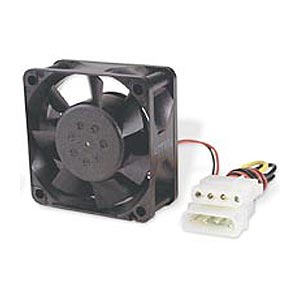
I've applied the 5V (see [1]) mod on three of my 80mm fans where they are connected together in series. At the end of the last fan's power cable there is a molex connector (see [2]), and without thinking any further I plugged the molex connecter into the Samsung disk. When I switched the machine on, BIOS wouldn't detect the harddisk. So, I think what's happened is that the harddisk has gotten 12V where it should have gotten 5V, and 5V where it should have gotten 12V.
Since that particular harddisk uses SATA power connector, I used a SATA-to-molex power converter (see [3]) between the fan molex and the SATA harddisk.
The question is whether replacing the PCB from a similar harddisk will recover my files? I am mostly concerned how important it is to find a PCB with exactly the same firmware.
The closest thread that is somewhat similar to my problem is this: samsung-hd753lj-power-surge-t11606.html
[1]: http://www.silentpcreview.com/article6-page1.html
[2]: http://www.efilliate.com/images/prod_images/P305a.jpg
[3]: http://www.aria.co.uk/static/images/pro ... TA-POW.jpg
I've applied the 5V (see [1]) mod on three of my 80mm fans where they are connected together in series. At the end of the last fan's power cable there is a molex connector (see [2]), and without thinking any further I plugged the molex connecter into the Samsung disk. When I switched the machine on, BIOS wouldn't detect the harddisk. So, I think what's happened is that the harddisk has gotten 12V where it should have gotten 5V, and 5V where it should have gotten 12V.
Since that particular harddisk uses SATA power connector, I used a SATA-to-molex power converter (see [3]) between the fan molex and the SATA harddisk.
The question is whether replacing the PCB from a similar harddisk will recover my files? I am mostly concerned how important it is to find a PCB with exactly the same firmware.
The closest thread that is somewhat similar to my problem is this: samsung-hd753lj-power-surge-t11606.html
[1]: http://www.silentpcreview.com/article6-page1.html
[2]: http://www.efilliate.com/images/prod_images/P305a.jpg
[3]: http://www.aria.co.uk/static/images/pro ... TA-POW.jpg

Re: 5V fan mod may have killed my disk
September 5th, 2009, 9:56
Post a pic of your PCB.
Re: 5V fan mod may have killed my disk
September 6th, 2009, 11:39
Unfortunately, I can only provide images taken with my phonecam. If the image quality isn't satisfactory, let me know. Thanks for your time.
(Dang, since yesterday afternoon I tried posting this message and always got an SQL-error. Now that I'm attaching the images instead of using the IMG-code, it seems to accept my post now.)
(Dang, since yesterday afternoon I tried posting this message and always got an SQL-error. Now that I'm attaching the images instead of using the IMG-code, it seems to accept my post now.)
- Attachments
-
-
-
-
Re: 5V fan mod may have killed my disk
September 6th, 2009, 15:53
Check the two TVS diodes (two black rectangular components next to each other top left of PCB) for continuity with a multimeter, these should NOT be short.
Also check the "000" component next to them, this SHOULD be short.
Good luck
Also check the "000" component next to them, this SHOULD be short.
Good luck
Re: 5V fan mod may have killed my disk
September 7th, 2009, 8:51
I will do that and will let you know. Thanks! 
Re: 5V fan mod may have killed my disk
September 7th, 2009, 20:43
Hi again.
Everything appears to be the opposite of what you have suggested: The left TVS has a 7-8 ohm resistance and the right 0 ohm resistance. I consider them both as shorted. Also, the 000 component isn't shorted, maximum resistance according to the multimeter. What can I make out of this? Thanks.
Everything appears to be the opposite of what you have suggested: The left TVS has a 7-8 ohm resistance and the right 0 ohm resistance. I consider them both as shorted. Also, the 000 component isn't shorted, maximum resistance according to the multimeter. What can I make out of this? Thanks.
Re: 5V fan mod may have killed my disk
September 7th, 2009, 22:40
If accurate then sounds like two blown TVS and a blown fuse.
Re: 5V fan mod may have killed my disk
September 8th, 2009, 2:30
If read correctly, then yes.
Ideal solution is to replace all 3 components.
Risky solution (at your risk) is to just remove the two shorted TVS's and short the fuse.
Ideal solution is to replace all 3 components.
Risky solution (at your risk) is to just remove the two shorted TVS's and short the fuse.
Re: 5V fan mod may have killed my disk
September 8th, 2009, 8:30
Check for OTHER problems beyond... or "va-va-vooma" DC-DC and PREAMP.... beware...
Re: 5V fan mod may have killed my disk
September 8th, 2009, 11:22
Better still, take to a pro.
Re: 5V fan mod may have killed my disk
September 9th, 2009, 17:10
Either the way, you wouldn't recommend "simply" replacing the PCB over replacing the components?
BlackST: Sorry, what is "va-va-vooma"? Are you referring to an opamp? >_<
BlackST: Sorry, what is "va-va-vooma"? Are you referring to an opamp? >_<
Re: 5V fan mod may have killed my disk
September 10th, 2009, 6:05
Va-va-vooma ... ehm... like a car running away at light speed ... or when you hear "CRACK! POOOOF!" and see a little cloud of smoke...
Re: 5V fan mod may have killed my disk
February 17th, 2010, 8:15
Hi again.
I know it's an old post but I finally had the luck and time to fix the hard drive so for the sake of history (yup, Google will handle that.
The fix was "simply" to find a harddisk with a matching PCB. My dead disk's print board's revision number is 5. Last autumm I bought a Samsung 750GB REV. A rev. 6 in a store but at that time I didn't know the print board's revision number also matters - rev 6 didn't bring my disk back to life. [1] Then a few days ago I got hold of a rev. 4-disk (also 750GB REV. A) and that one worked well with my dead disk - well it's no longer dead!
I'm just wondering what REV. A means - obviously, it's neither the firmware or the PCB version as it is printed on all three harddisks. Oh well...
[1]: Rev 6 PCB also looks pretty different from Rev 4 and 5.
I know it's an old post but I finally had the luck and time to fix the hard drive so for the sake of history (yup, Google will handle that
.The fix was "simply" to find a harddisk with a matching PCB. My dead disk's print board's revision number is 5. Last autumm I bought a Samsung 750GB REV. A rev. 6 in a store but at that time I didn't know the print board's revision number also matters - rev 6 didn't bring my disk back to life. [1] Then a few days ago I got hold of a rev. 4-disk (also 750GB REV. A) and that one worked well with my dead disk - well it's no longer dead!
I'm just wondering what REV. A means - obviously, it's neither the firmware or the PCB version as it is printed on all three harddisks. Oh well...
[1]: Rev 6 PCB also looks pretty different from Rev 4 and 5.
Powered by phpBB © phpBB Group.