HDD problem
August 10th, 2020, 8:10
Hello yesterday i decided to finally move from windows 7 to windows 10, i used hdd from my old computer to back up all files i wanted to and all was smooth. Today i installed win 10 on the hdd that i am using and then i started to copy all files from old hdd to my new hdd it was supposed to run around 1.5h so i decided to went outside to have some fun on the bicycle. When i came home copying was stuck and my old hdd was making some weird clicking noises, few moments later my whole pc just froze and i had to restart it but sadly my old hdd seems to have some issues. In bios i see this
the first one is normal hdd iam using and the second one should be the old hdd so it is visible but in some weird manner.
If i go to disk managment i dont see old hdd on the top but in the bottom it is listed as disk1 (unknown,not initialized) If i trie to initialize it i get error as you can see on the picture
In the device manager tab i can also see it as Neznáme zariadenie(unknown device)
So hopefully its not completely dead if its visible?
Is there any way i can copy data from my old hdd to my current one? I am not planning to send it to servis and pay tons of money for it but it would be nice if i can fix it somehow on my own with your help thanks!
Also i forgot to mention that i tried to use cables from the hdd that is working and it didnt help so its not in cables or mb conector. Old hdd doesnt seem to make any noise anymore after i restarted pc when it was stuck
If i go to disk managment i dont see old hdd on the top but in the bottom it is listed as disk1 (unknown,not initialized) If i trie to initialize it i get error as you can see on the picture
In the device manager tab i can also see it as Neznáme zariadenie(unknown device)
So hopefully its not completely dead if its visible?
Is there any way i can copy data from my old hdd to my current one? I am not planning to send it to servis and pay tons of money for it but it would be nice if i can fix it somehow on my own with your help thanks!
Also i forgot to mention that i tried to use cables from the hdd that is working and it didnt help so its not in cables or mb conector. Old hdd doesnt seem to make any noise anymore after i restarted pc when it was stuck
Re: HDD problem
August 11th, 2020, 0:54
first check which drive failed
identified drive is wd10ezex-60m2na0(if this one is your old drive with backup, then you are on the safe side)
Just buy new drive , install OS and enjoy.
If not, find some DR service near you to recover your data.
Good luck
identified drive is wd10ezex-60m2na0(if this one is your old drive with backup, then you are on the safe side)
Just buy new drive , install OS and enjoy.
If not, find some DR service near you to recover your data.
Good luck
Re: HDD problem
August 11th, 2020, 1:11
jerovsek wrote:first check which drive failed
identified drive is wd10ezex-60m2na0(if this one is your old drive with backup, then you are on the safe side)
Just buy new drive , install OS and enjoy.
If not, find some DR service near you to recover your data.
Good luck
Hello wd10ezex-60m2na0 is the drive that is working but i have files on the second drive
Re: HDD problem
August 11th, 2020, 8:38
Hello
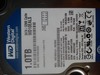
which model is another drive from label on the drive
which model is another drive from label on the drive
Re: HDD problem
August 11th, 2020, 9:33
jerovsek wrote:Hello
which model is another drive from label on the drive
Re: HDD problem
August 12th, 2020, 0:56
try to find some DR service near you to recover data
Powered by phpBB © phpBB Group.