maxtor sata write cache disabled
January 22nd, 2007, 18:31
Hello,
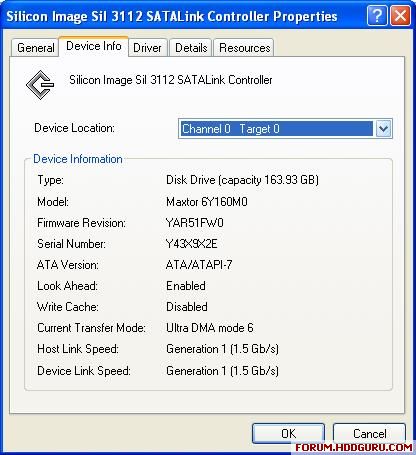
Anyone know how to enable write caching on my drive? (please see attached picture for info)
Thank you in advance.
Anyone know how to enable write caching on my drive? (please see attached picture for info)
Thank you in advance.
January 23rd, 2007, 14:47
What is the purpose of enabling the write cache option ?
January 23rd, 2007, 22:21
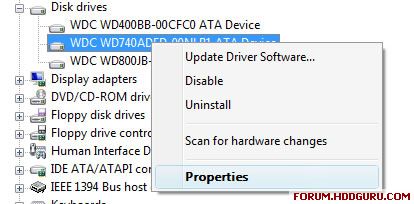
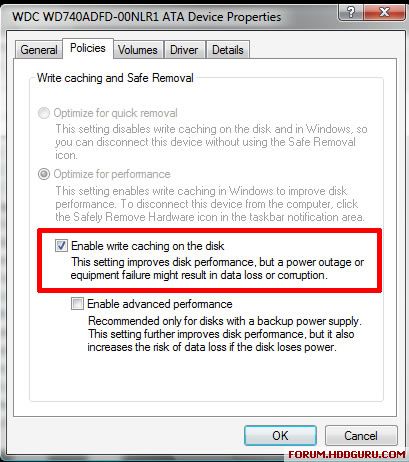
Try going into the drive properties within the device manager, not the controller card.
January 24th, 2007, 2:48
rameez Write caching will enable my hard disk to use its 8MB cache which is currently disabled.
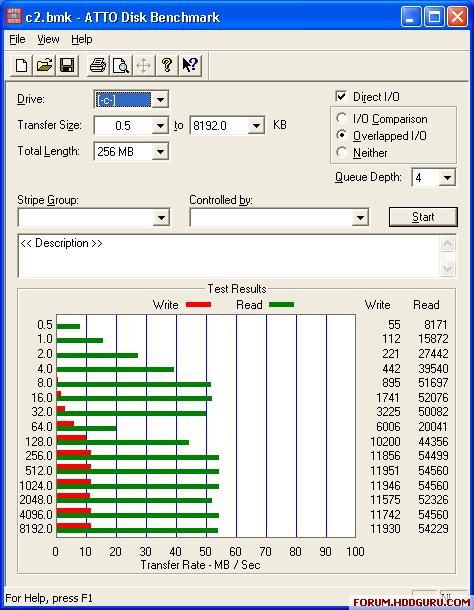
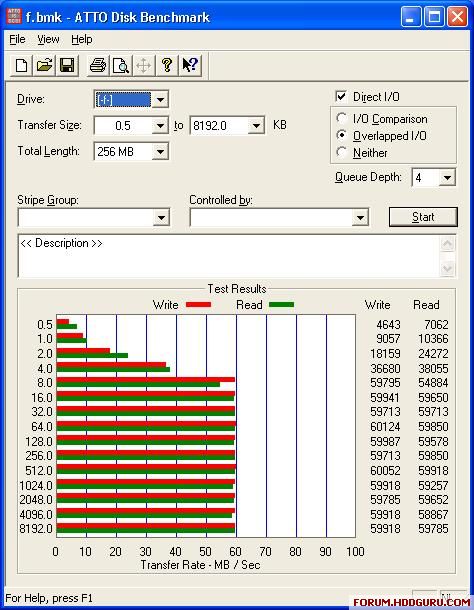
I have a Seagate drive on the same computer with its cache enabled and run ATTO drive benchmark.
Maxtor is unusable (~10MB/s max write)
bsnyder that works for ATA drives not SATA take a look below:
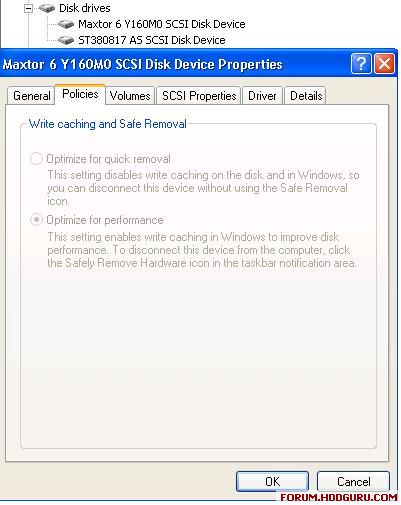
Write cache disabled is not a windows issue as when I boot with Hitachi Ftool it reports the Maxtor as Write Cache: Disabled. I can enable the cache exit the program re-enter the program and it still reads enabled. As soon as I restart it is disabled again. The same goes for Read Ahead although that is Enabled on my drive.
Ftool had some use though, I could enable AAM for the maxtor which made it whisper quiet but seek time went through the roof, from 13ms to 19ms, according to HDTach Benchmark so I disabled AAM.
I have a Seagate drive on the same computer with its cache enabled and run ATTO drive benchmark.
Maxtor is unusable (~10MB/s max write)
bsnyder that works for ATA drives not SATA take a look below:
Write cache disabled is not a windows issue as when I boot with Hitachi Ftool it reports the Maxtor as Write Cache: Disabled. I can enable the cache exit the program re-enter the program and it still reads enabled. As soon as I restart it is disabled again. The same goes for Read Ahead although that is Enabled on my drive.
Ftool had some use though, I could enable AAM for the maxtor which made it whisper quiet but seek time went through the roof, from 13ms to 19ms, according to HDTach Benchmark so I disabled AAM.
January 24th, 2007, 8:38
It does work for SATA drives but not, if they are handled through a proprietary driver that interprets SATA drives as SCSI (as in your case).
Regards
weaker
Regards
weaker
Powered by phpBB © phpBB Group.