MultiDrive – free backup, clone & wipe disk utility from Atola Technology

All times are UTC - 5 hours [ DST ]


Post new topic Reply to topic  [ 17 posts ] 
Author Message
 Post subject: WD PCB, OK to swap out? With video
PostPosted: January 28th, 2013, 19:18 
Offline

Joined: January 28th, 2013, 11:26
Posts: 5
Location: NC, USA
Hello everyone,
Video down below, trying to diagnose
My 2TB external drive is making a sound, and based on what the forum here says, I think it is the PCB. It wasn't password protected.

Video:
http://www.youtube.com/watch?v=wri_ZxtfL1w

If I order this:
http://www.ebay.com/itm/connector-board ... dab&_uhb=1

Or this guy (cheaper, but one number off, does it matter?), will I have any problems swapping it out?

http://www.ebay.com/itm/WD-MY-BOOK-PCBA ... 2ec4f7c847


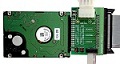
Picture of my actual WD
Image


Top
 Profile  
 
 Post subject: Re: WD PCB, OK to swap out? With video
PostPosted: January 28th, 2013, 23:39 
Offline

Joined: August 21st, 2012, 12:15
Posts: 285
Location: India
Quote:
My 2TB external drive is making a sound, and based on what the forum here says, I think it is the PCB. It wasn't password protected.


Connect the drive directly to the SATA port of a PC and check if the drive spins up properly(or clicks) and detects correctly in the BIOS.
If it shows correctly in the BIOS without any clicking noise, then you can think of purchasing the PCB.

PCB faults usually happen when a wrong power adapter is connected or due to a power surge etc.
How did the problem arise, was the drive dropped ?

The drive may be encrypted even if you had not protected by a password.


Top
 Profile  
 
 Post subject: Re: WD PCB, OK to swap out? With video
PostPosted: January 29th, 2013, 4:06 
Offline

Joined: May 21st, 2007, 16:10
Posts: 1592
Location: Gothenburg/ Sweden
The clicking sound you hear is faulty head(s) so they need to be replaced by a pro...not DIY.
When you send the drive in, make sure that your external chassie comes with it as you also have encryption on that drive...Symwavechip.
Seek for Jono-ats or thatdellguy here on the forum, they are Usa-based pro's.

_________________
Rescue IT Datarecovery service Sweden
Rescue IT Dataräddning Göteborg AB
http://www.rescue-it.se


Top
 Profile  
 
 Post subject: Re: WD PCB, OK to swap out? With video
PostPosted: January 29th, 2013, 4:22 
Offline

Joined: January 8th, 2008, 5:21
Posts: 927
Location: uk
Quote:
My 2TB external drive is making a sound, and based on what the forum here says, I think it is the PCB.
Not this forum!

Only an experienced recovery technician can safely get your data back from that drive. Unfortunately it is going to cost you a lot of $$$ so now is the time to place a value on your data.


Top
 Profile  
 
 Post subject: Re: WD PCB, OK to swap out? With video
PostPosted: January 29th, 2013, 8:19 
Offline

Joined: January 28th, 2013, 11:26
Posts: 5
Location: NC, USA
The Hd was not dropped. It won't power on, and
the LED light will not come on anymore


Top
 Profile  
 
 Post subject: Re: WD PCB, OK to swap out? With video
PostPosted: January 29th, 2013, 8:46 
Offline

Joined: May 6th, 2008, 22:53
Posts: 2138
Location: England
@Joezilla,

Helpful video, thanks. From your comment on the video, I think you have a good idea that an incorrect mains adapter was attached, and that's not just a wild guess that you're making. Correct? ;)

I understand the replies from other members although I'm interpreting at least one of your comments differently to some other members, I think. Remember that DIY recovery attempts definitely have risks (especially in your situation, for several reasons). You could make things much worse for any of several possible reasons like lack of experience, incorrect procedure, ESD damage or just bad luck etc.

However, although I couldn't hear the faint clicking that you mentioned in the video, I didn't hear the drive spinning-up at all. Is my understanding correct? If so, then the clicking is not coming from the drive either, which is potentially better news for you, than if the drive itself was clicking.

[Edit: While I've been typing this, your reply to previous comments has just confirmed that the drive isn't spinning-up, so my understanding is correct.]

If the drive isn't spinning-up then I can guess (but it is only guess, without further diagnosis / measurements) what is making the clicking that you mention. Personally I suspect it's related to the DC-DC converter repeatedly restarting (these can make a faint sound for reasons too long-winded to explain now), but that's likely to be a symptom of the real problem, not the true cause - I definitely wouldn't start by replacing the PCB in the enclosure, without further diagnosis.

Your next steps depend on the value of the data, and the risks that you are prepared to take with it. You have already received good suggestions for two USA-based professionals (another professional USA member is quasimodo) and you should seriously consider one, if you want to avoid causing further (preventable) problems by your own actions.


Top
 Profile  
 
 Post subject: Re: WD PCB, OK to swap out? With video
PostPosted: January 29th, 2013, 9:54 
Offline
User avatar

Joined: January 28th, 2009, 10:54
Posts: 3547
Location: Greece
I agree with Vulcan. I couldn't hear the drive spinning up and the clicking sounded electronic rather than mechanic.

And this is good news for you too. At this point, and assuming Vulcan is right with the guess, it wouldn't be that costly. But if you decide to go further with your DIY, then you can end up with quite a mess.

Your data, your choice, good luck.

_________________
http://www.northwind.gr
SandForce SSD Recovery
Ransomware Reverse Engineering - NoMoreRansom! partners


Top
 Profile  
 
 Post subject: Re: WD PCB, OK to swap out? With video
PostPosted: January 29th, 2013, 16:50 
Offline

Joined: October 4th, 2007, 12:07
Posts: 116
northwind wrote:
I agree with Vulcan. I couldn't hear the drive spinning up and the clicking sounded electronic rather than mechanic.

Definitely an electronic sound. I would also check the preamp in this case.


Top
 Profile  
 
 Post subject: Re: WD PCB, OK to swap out? With video
PostPosted: January 29th, 2013, 17:17 
Offline
User avatar

Joined: September 5th, 2010, 12:29
Posts: 1038
Location: South Africa
Does the drive spin up at all? Can you feel it spin up when you give it power, either inside our outside (via SATA) of the case?

_________________
Death is nothing, but to live defeated and inglorious is to die daily.
Data Recovery Cape Town


Top
 Profile  
 
 Post subject: Re: WD PCB, OK to swap out? With video
PostPosted: January 30th, 2013, 11:52 
Offline
User avatar

Joined: October 19th, 2010, 4:21
Posts: 339
Location: Johannesburg, South Africa
I think you can start with this (the first reply to your post)
sathyan wrote:
Connect the drive directly to the SATA port of a PC and check if the drive spins up properly(or clicks) and detects correctly in the BIOS.


Top
 Profile  
 
 Post subject: Re: WD PCB, OK to swap out? With video
PostPosted: January 30th, 2013, 21:31 
Offline

Joined: January 28th, 2013, 11:26
Posts: 5
Location: NC, USA
Does not spin up at all. I feel like its an electric sound too.


Top
 Profile  
 
 Post subject: Re: WD PCB, OK to swap out? With video
PostPosted: January 30th, 2013, 23:48 
Offline

Joined: August 21st, 2012, 12:15
Posts: 285
Location: India
If its not spinning , when directly connected to the PC, is it making humming or buzzing sound ?
Then it is either stiction or seized spindal motor issue, and not DIY. Only pro can help you.
Was the drive dropped before this problem happened?
If data is important, seek pro help , (and send the drive along with the USB PCB ).


Top
 Profile  
 
 Post subject: Re: WD PCB, OK to swap out? With video
PostPosted: January 31st, 2013, 13:07 
Offline

Joined: January 28th, 2013, 11:26
Posts: 5
Location: NC, USA
Spins and is recognized via SATA connection


Top
 Profile  
 
 Post subject: Re: WD PCB, OK to swap out? With video
PostPosted: January 31st, 2013, 16:39 
Offline

Joined: October 4th, 2007, 12:07
Posts: 116
Joezilla wrote:
Spins and is recognized via SATA connection

You're lucky so far! But since the data on the disk is encrypted by the SATA/USB interface board, you need to deal with that now.


Top
 Profile  
 
 Post subject: Re: WD PCB, OK to swap out? With video
PostPosted: January 31st, 2013, 17:53 
Offline
User avatar

Joined: September 4th, 2012, 8:19
Posts: 76
Location: Dominican Republic
``````````compatible Symwave chip board````` ---- replacement will not solve the problem. Those boards are hashed.

_________________
Recuperacion De Datos Dominican Republic


Top
 Profile  
 
 Post subject: Re: WD PCB, OK to swap out? With video
PostPosted: February 1st, 2013, 0:03 
Offline

Joined: August 21st, 2012, 12:15
Posts: 285
Location: India
As the drive is fine you will have to deal with the SATA-USB bridge board.
You will need proper tools and electronics knowledge to repair the board.

find a similar case in here and the suggestions given.
mybook-essential-pcb-burnt-t24590.html

Take help with someone who has the proper tools and skills in fixing the board.

Or it shouldn't cost you much if you take pro help as the drive is working and the problem is with the bridge board


Top
 Profile  
 
 Post subject: Re: WD PCB, OK to swap out? With video
PostPosted: February 15th, 2013, 12:05 
Offline

Joined: January 28th, 2013, 11:26
Posts: 5
Location: NC, USA
Swapped the PCB board out, everything works great! Everything backed up and good now, thanks guys! Only cost $40 USD instead of the $1200 they wanted to charge.


Top
 Profile  
 
Display posts from previous:  Sort by  
Post new topic Reply to topic  [ 17 posts ] 

All times are UTC - 5 hours [ DST ]


Who is online

Users browsing this forum: No registered users and 63 guests


You cannot post new topics in this forum
You cannot reply to topics in this forum
You cannot edit your posts in this forum
You cannot delete your posts in this forum
You cannot post attachments in this forum

Search for:
Jump to:  
Powered by phpBB © 2000, 2002, 2005, 2007 phpBB Group