MultiDrive – free backup, clone & wipe disk utility from Atola Technology

All times are UTC - 5 hours [ DST ]


Post new topic Reply to topic  [ 4 posts ] 
Author Message
 Post subject: Help! External Hard drive isnt responding properly.
PostPosted: March 2nd, 2014, 23:53 
Offline

Joined: February 28th, 2014, 6:45
Posts: 2
Location: Vizag,Andhra, India
Hi guys, I am new here and yes, sort of like a newbie with respect to HDD repairs, so please bear with me.

I have a Seagate 1TB external hard disk. Few months ago it crashed, and since i had the warranty i got it repaired by Seagate. It took 3 weeks for Seagate to repair it and yes, i was informed that all data inside the hard disk will be lost. so i got a clean drive back. All seemed well, so i started dumping my important data into the EHD, assuming that all will be well. (I am an idiot!)

With in few weeks it started to show problems. the symptoms were like this:

1.) it always get recognized by the computer, but when trying to access a movie that's stored in the drive, the light of the EHD flashes as if it is waiting to read the data and after sometime, it reads it. Now while playing the movie directly from EHD, this delay appears as if it is buffering. So instead of watching a movie directly from EHD, i used to dump it in my computers internal hard disk and see it from there. if it is a small file (like a picture or a document), i can run it from EHD itself, but if it is a large file like a movie or something, i have to dump it in my internal hard disk. This continued for a while and i thought i can survive like that.

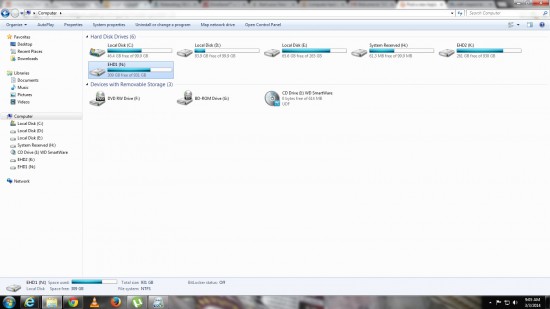
2.) Then all of a sudden about two weeks ago the problem escalated and since then its remained so until now. now when i plug it in to the computer, it reads the EHD, even shows that it has about 309gb free of the 931gb (see attachment 1.jpg)
Attachment:
File comment: The EHD in question is EHD1...it shows the available space as well.
1.jpg
1.jpg [ 175.83 KiB | Viewed 5301 times ]
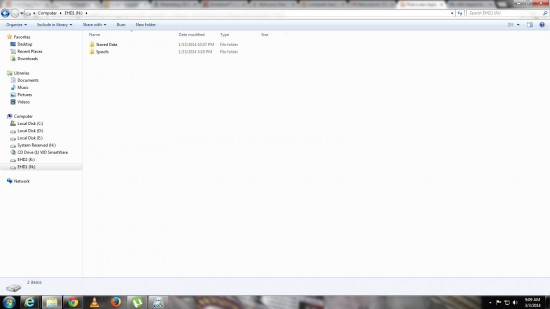
, but when i try to enter the folders inside(see attachment 2.jpg)
Attachment:
File comment: This is the first level of folders inside it... even these are accessible.
2.jpg
2.jpg [ 121.6 KiB | Viewed 5301 times ]
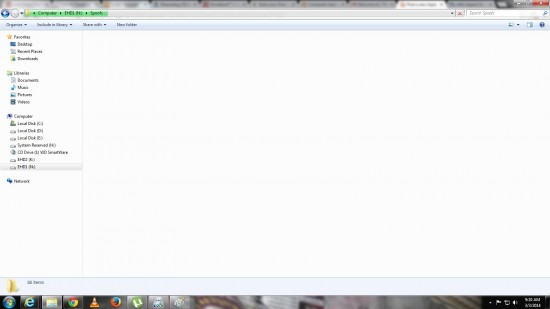
, the light of the EHD starts to flash and the windows explorer appears as if it is trying to read the data (see attachment 3.jpg)
Attachment:
File comment: And if i try to enter either of these folders, this is what happens... see the green line at the address bar, its as if its trying to read, but it will file the entire bar green and nothing will happen.
3.jpg
3.jpg [ 116.89 KiB | Viewed 5301 times ]
, but no response from the EHD. I will wait for a long time and then when i close that window and open a new window to enter the EHD once again, it will not show anything, not even that it has 309gb free of 931gb.

I dont want to give it for Seagate servicing again, because i will loose all my data which i dont want to.

WHAT I DID: now this is why i said i am sort of a newbie. :)

After Googling, i have come to understand that EHD has an adapter and a hard disk and mostly the adapter might have gone bad. So using videos on youtube, i was able to open my EHD and was able to identify that the adapter is working fine, even when i connect the Hard disk to a different SATA adapter, its giving the same results (i.e., loosing readability as soon as i try to access the files within). Also when i connect my spare laptops harddisk to my adapter and connect it to my PC, it is reading it properly. So I can say for sure the problem is with my hard disk in EHD.

Again after Googling, i have come to understand that hard disk failure could be either physical or logical or both. Because for the first 3-5 secs i am able to read it properly, i am thinking its a logical issue but i cant use a data recovery software from windows, because windows doesn't recognize it for more than 10 secs.

Now I am not sure what to do, please help.


Top
 Profile  
 
 Post subject: Re: Help! External Hard drive isnt responding properly.
PostPosted: March 6th, 2014, 7:50 
Offline

Joined: February 28th, 2014, 6:45
Posts: 2
Location: Vizag,Andhra, India
Hi Spildit,

first and foremost, thanks for the reply.

and yes the data inside is important for me to try and retrieve it, however data recovery firms cost tons of money ... i really wish there is a cheaper alternative...

Moreover, i am interested in learning the data recovery process myself for a long time now, so i guess this would be a great time to learn and experiment. You've mentioned some "special hardware tools", could you please let me know what they are, i rather buy them and experiment on my own.


Also to anyone else on this forums, if u r from India, please let me know of a data recovery company in India that is hopefully both reliable and cheap. Thanks.


Top
 Profile  
 
 Post subject: Re: Help! External Hard drive isnt responding properly.
PostPosted: March 6th, 2014, 11:54 
Offline
User avatar

Joined: August 26th, 2012, 19:18
Posts: 293
Location: England
Hi Leolov, top marks for quality of post btw, descriptions / diagrams etc.

Obvious statement first: If the files you are trying to recover are valuable to you, please do consider pro help. This help below is a guide only and should you lose data whilst carrying it out, it is your own risk.

Given what you have said already about not wanting to send to DR Co:

So...
you could try the following without spending huge sums on hardware tools.

Attach the drive via native (sata) cables to the PC.
Maybe best to make this, the bad drive, the ONLY drive attached to the PC at this stage.

Run a copy of MHDD from CD (its in Live CDs such as Hirens Boot CD, UBCD and here on hddguru as a download.
If it reads the drive and identifies correctly this is good, run a SCAN .
If it is reading and processing sectors this is also good, the disk is readable.
If it completes with no errors it is likely you have file or filesystem corruption and this is a software solution issue and can be dealt with using data recovery SW such as R-Studio (you will need to tweak a setting first tho)

Let us imagine this is the case.

Next invoke the SWITCHMBR command. This changes the 55AA signature at the end of MBR.
(You can toggle back again should you need to after you have done the recovery).
Exit and power down.

Reattach your Main OS drive.
You should now be able to attach the bad drive and run windows as normal.
You will not see the drive in Explorer but will be able to pick it up via DR software.

Open the file system with say R-Studio and find your perhaps corrupt file directory and try to recover.
If it stalls, its likely that file is corrupt or that part of the disk had bad sectors.
This system may also be useful in the event of bad sectors where you don't want or are not able to take a full disk image.

Let us now imagine that MHDD started showing a huge range of bad sectors or returned other system errors while in SCAN.
You are now entering the territory of having to make a disk image and would either need repair / dedicated hardware, or a reasonable knowledge of Linux and its dd command or the many derivatives of it to take an image.

Once you have an image, back to DR software to proceed.

Hope this points you in right direction.

image attached is screencapped from another program Viktoria but gives the sort of thing you may see on MHDD
K


Attachments:
DriveTest.jpg
DriveTest.jpg [ 222.93 KiB | Viewed 5209 times ]

_________________
Когда хочется кушать – съешь всё.
Голод не тётка!
Top
 Profile  
 
 Post subject: Re: Help! External Hard drive isnt responding properly.
PostPosted: March 6th, 2014, 16:26 
Offline
User avatar

Joined: September 8th, 2009, 18:21
Posts: 16960
Location: Australia
IMHO, your best DIY chance is to clone your drive, sector by sector, using a tool such as ddrescue (freeware). However, you should prepare your drive by turning off reallocation and retries.

See http://webcache.googleusercontent.com/s ... 7%26p=1893

(The HDD Oracle site is offline as I write this)

_________________
A backup a day keeps DR away.


Top
 Profile  
 
Display posts from previous:  Sort by  
Post new topic Reply to topic  [ 4 posts ] 

All times are UTC - 5 hours [ DST ]


Who is online

Users browsing this forum: No registered users and 969 guests


You cannot post new topics in this forum
You cannot reply to topics in this forum
You cannot edit your posts in this forum
You cannot delete your posts in this forum
You cannot post attachments in this forum

Search for:
Jump to:  
Powered by phpBB © 2000, 2002, 2005, 2007 phpBB Group
