Good day,
We received this hard drive from our client, she dropped it and couldn't access via the USB port.
We checked the drive and it isn't that big of the problem, it's detected correctly and we have made an image of the entire hard drive, twice (DDI 4) with only approx. 1000 aborted sectors
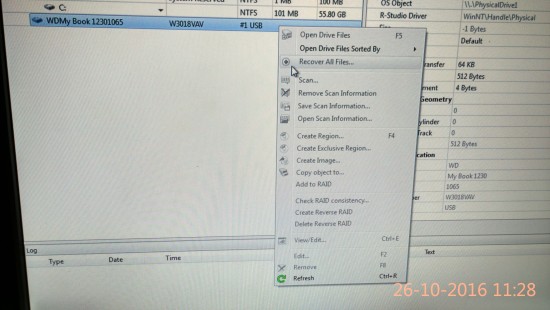
We plugged the imaged drive with the USB bridge controller (this is the one came in with the patient drive, confirmed) and connect it to one of our computers via USB cable, it shows
Attachment:
 IMG_20161026_112836_HDR.jpg [ 5.03 MiB | Viewed 5320 times ]
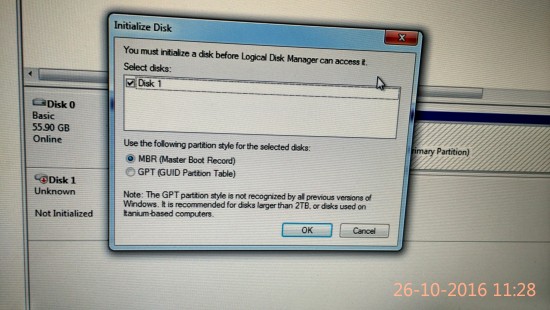
And when i checked the computer management --> Disk Management, I see this
Attachment:
 IMG_20161026_112901_HDR.jpg [ 4.84 MiB | Viewed 5320 times ]
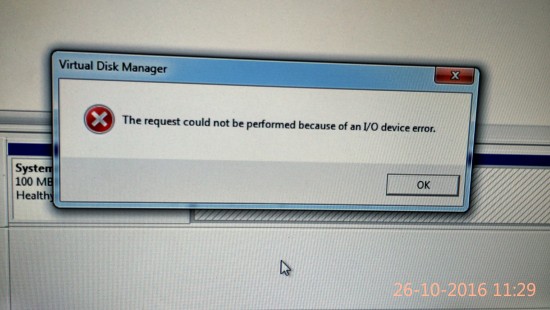
If I go ahead and initialize it, the process fail to execute with I/O error
Attachment:
 IMG_20161026_112909_HDR (1).jpg [ 4.48 MiB | Viewed 5320 times ]
We have received quite a bit of WD MyBook 2TB here and we have not seen this issue before.
Has it got something to do with the encryption issue on this model? Please help
Thanks
Best regards,
Darecom



 FAQ
FAQ Search
 Login
Login Register
 HDDGURU FILES