ranman wrote:
All,
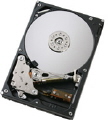
I had a visibly burnt out PCB on a 300 GB Seagate drive as a result of a power supply gone bad. The good news is that I was able to find a perfect match to replace the PCB (Part Number, firmware, model, etc). I installed the PCB and the drive is now detected by my BIOS and OS. I can even backup the drive using Ghost and run Seatools on it to look at the drive information.
However, I can not access the file system. When I try to open the drive in Windows Explorer, I get a "the parameter is incorrect" error message. When looking at the drive in Disk Manager it shows multiple partitions on the drive, but I did not have multiple partitions. Is it possible that the new PCB came from a drive with multiple partitions (is that information even stored on the PCB board? Is there anything else I can check? After looking for 6 months for the PCB, I am oh so close. Any help would be appreciated.
You need to swap the eeprom chip as well.
Janos



 FAQ
FAQ Search
 Login
Login Register
 HDDGURU FILES