It took some time to scan the whole 1.82 TB partition...
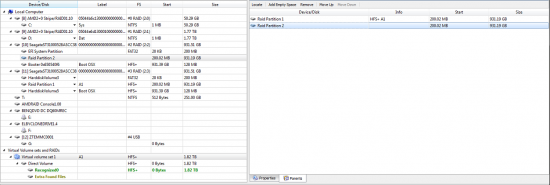
As you can see on the screenshot below there are two objects under Virtual volume set 1 \ Direct Volume:
Recognized0 and
Extra Found Files. According to R-Studio documentation: Recognized0 is a logical partition with boot records and file entries found; and Extra Found Files only contains files that were found using "scan for known file types" option (which I was using).
Attachment:
 raid-span.png [ 117.02 KiB | Viewed 14958 times ]
Under Recognized0 object it shows total 19.86 TB of data found. There also is a folder called Extra Found Files marked as deleted and all its subfolders are marked as deleted as well. All files inside this folder seems to have valid file names
but are unreadable and do not have valid file headers.
Attachment:
 raid-span-recognized.png [ 36.81 KiB | Viewed 14958 times ]
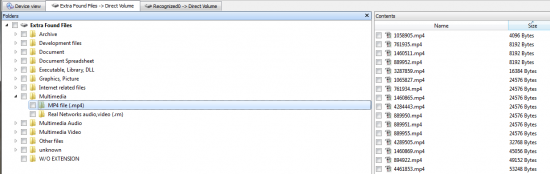
Under Extra Found Files object it shows total 33.35 TB of data found!! Files inside have generic (1.jpg, 2.jpg etc) names. Some of them are good, but most of them looks garbled... but at least
lots of them have valid file headers.
Attachment:
 raid-span-extrafound.png [ 58.98 KiB | Viewed 14958 times ]
So... the results - scan found a lot of data, it found more data than the size of span partition (which I think is pretty normal for recovery applications). I was able to find some good files but it looks like most of the files are still garbled.

Considering there is more total data found than the size of partition it's pretty obvious most of data will be unreadable... But how can I sort through bad files and recover good files only?
Guys, please give me some advice because I'm running out of ideas...

Damn HFS+ !!!




 FAQ
FAQ Search
 Login
Login Register
 HDDGURU FILES


