Data recovery and disk repair questions and discussions related to old-fashioned SATA, SAS, SCSI, IDE, MFM hard drives - any type of storage device that has moving parts
Post a reply

Can a laptop damage a hard drive?

August 17th, 2014, 13:08

The question is pretty clear.

I've come across this opinion: http://www.tomshardware.co.uk/forum/286 ... ive-damage which claims that the writer came across "laptops that damage hard drives before from a faulty motherboard giving too much power to the component".

Is that possible? My hard drives seem more susceptible to develop bad sectors on a specific laptop (I had 3 instances of bad sectors in just 8 months since I started using it regularly, including with 2 drives which saw rather little use, connected with that laptop and possible a forth - all very similar, clusters of bad sectors covering several tens of MB of space). Prior to that, bad sectors were a far rarer occurrence (just about 2 instances of bad sectors in more than 6 years) and the drives which have not been used on that laptop don't seem to have issues. So I have become suspicious because it starts to look like a pattern.
Is there any truth to the statement from the link? Or any other way a laptop component could cause damage to a drive?
Or is there a way to verify what could be the problem?
The drives affected were the internal drive of the laptop and 2 (possibly 3) other drives which had been connected to it on repeated occasions.
I would really appreciate some insight, because, at this pace, it will damage a drive every 2-3 months.
The laptop is a Dell Vostro 3550.

I suspect bad power because I noticed something suspicious in the past. There were some instances when the laptop Bios did not recognize the power supply wattage (the model it's a Dell and those had some issues with their AC adapters - for instance the ""The AC power adapter wattage and type cannot be determined. the battery may not charge. the system will adjust the performance to match the power available please connect a dell 90W AC adapter or greater for the best system performance. Strike the F3 key (before F1 or F2 key) if you do not want to see power warning message strike the f1 key to continue, f2 to run the setup utility" error).

Re: Can a laptop damage a hard drive?

August 17th, 2014, 16:55

It's possible for an unstable +5V supply to impact on a HDD's performance and reliability, but I suspect that the most likely reason for the increased incidence of failure is that newer HDDs are less reliable than the older ones. They spin faster, have much higher data densities, and the heads fly much closer to the platters. Laptops are also affected by heat and vibration. In any case the +5VDC supply is derived from the adapter's 19VDC output via a DC-DC converter on the laptop's motherboard, so any instability in the adapter's output would be largely mitigated by the down-converter on the motherboard.

As for why "the AC power adapter wattage and type cannot be determined", the original Dell adapter has a third wire which connects to a Dallas / Maxim DS2501 IC inside the adapter. This IC contains a 512-byte memory which identifies the specifications of the adapter to the laptop's BIOS. It is possible that there is an intermittent break in the adapter's power cord.

http://www.laptop-junction.com/toast/co ... y-revealed

DS2502, Dallas Semiconductor / Maxim, 1Kbit Add-Only Memory, 1-wire:
http://datasheets.maximintegrated.com/en/ds/DS2502.pdf
http://www.chzsoft.de/storage/2501unw.pdf (DS2501)

BTW, your tomshardware URL is broken.

Re: Can a laptop damage a hard drive?

August 17th, 2014, 17:39

fzabkar wrote:It's possible for an unstable +5V supply to impact on a HDD's performance and reliability, but I suspect that the most likely reason for the increased incidence of failure is that newer HDDs are less reliable than the older ones. They spin faster, have much higher data densities, and the heads fly much closer to the platters. Laptops are also affected by heat and vibration. In any case the +5VDC supply is derived from the adapter's 19VDC output via a DC-DC converter on the laptop's motherboard, so any instability in the adapter's output would be largely mitigated by the down-converter on the motherboard.


That's doubtful, because the increased incidence of failure happened with drives of similar characteristics.
In fact, the specs of external 2'5 hard disks in particular have changed very little over the last 4 years. The most commonly used types by the regular users are drives of 500 GB and 1 TB with 5400 RPM and 8 MB buffer.
Unless when you said "newer HDD" you were contrasting them with hard disk types of 10 years ago, the bolded statement is odd.
For instances, the external drives which went bad were from a batch of four bought in the fall of 2010, Samsung G2 of 640 GB with 5400 RPM an 8 MB buffer. Over 3 years, I had just one going bad after 3 years of intense usage on my old laptop (an Asus) and desktop.
When I moved to the current laptop (a Dell), another 2 went bad in just 8 months. And it happened despite that their usage during this period had been less than 10% of what had been prior to that (basically, I just copied several big amounts of data - some tens of GB - on them on several occasions and that was it).
The Dell's internal drive (a Toshiba of 500 GB) also started to develop bad sectors after 3 months. Prior to that, I had never had an internal hard disk go bad on me.
My old Asus' internal drive is a 320 GB with 5400 RPM and 8 MB buffer. Is still pristine clean after almost 5 years on intense usage. My desktop's 2 internal drives of 1 TB, of 7200 RPM and 32 MB buffer, are perfectly fine, despite 3 years of intense usage.
A third drive which went bad in (possible) connection with the Dell was an ADATA CH11 of 1 TB with 5400 RPM and 8 MB buffer. That drive was not used AT ALL, except for undergoing some occasional surface scan. During the last surface scan, it showed bad sectors. Some of those surface scans occurred, you guessed it, on the Dell.

I mean, come on, could this be a coincidence?. And I would rather investigate the matter before I run out of hard disks.

Re: Can a laptop damage a hard drive?

August 17th, 2014, 20:03

I think what fzabkar is getting at is that the tolerances for the new drives have changed, but the conditions the drives operate in have not.

When drives started out, it was like a general purpose family car going down the 1/4 mile. pretty safe.. now it is a supercharged beast hurtling down there at 28KM/h and if a bee farts near it.. well *boom*

That's doubtful, because the increased incidence of failure happened with drives of similar characteristics.
In fact, the specs of external 2'5 hard disks in particular have changed very little over the last 4 years. The most commonly used types by the regular users are drives of 500 GB and 1 TB with 5400 RPM and 8 MB buffer.


You cannot ascertain any data out of a sample set of such a small amount of drives. thanks to Wikipedia..
This corresponds to shipments of 552 million units in 2013 compared to 578 million in 2012 and 622 million in 2011


so as drives often last 3 years or more, you are talking about less than 5 failures in 1,752,000,000 drives.

The most commonly used types by the regular users are drives of 500 GB and 1 TB with 5400 RPM and 8 MB buffer

The most commonly used cars have 4 wheels, a 4cylinder engine and take petrol for fuel. so they have changed little as well?

You have to be careful not to attribute a run of bad luck to something else, to have a decent backup plan. If you have a drive that is 6 months old, can you say that you can be ABSOLUTELY sure nothing has ever happened to the drive that could potentially damage it. In case of a laptop then I doubt it.

of course it is possible the circuitry is not designed optimally and is slowly stressing the drive, but realy how are you going to test it. A great many hours are lost be people looking for answers that either don't exist, or if found would make no difference to much.

Re: Can a laptop damage a hard drive?

August 17th, 2014, 20:31

I don't know how to narrow down the source of the problem in a safe and timely manner, but you could try isolating your external drives from the laptop's power supply by way of a powered USB hub.

Re: Can a laptop damage a hard drive?

August 18th, 2014, 3:41

fzabkar wrote:I don't know how to narrow down the source of the problem in a safe and timely manner, but you could try isolating your external drives from the laptop's power supply by way of a powered USB hub.


Would that mean the external drive would no longer receive power from the laptop itself? (Having in mind that I often have multiple external devices connected to the USB, that would be useful regardless whether the laptop power supply stressed the hard drives).

Re: Can a laptop damage a hard drive?

August 18th, 2014, 4:07

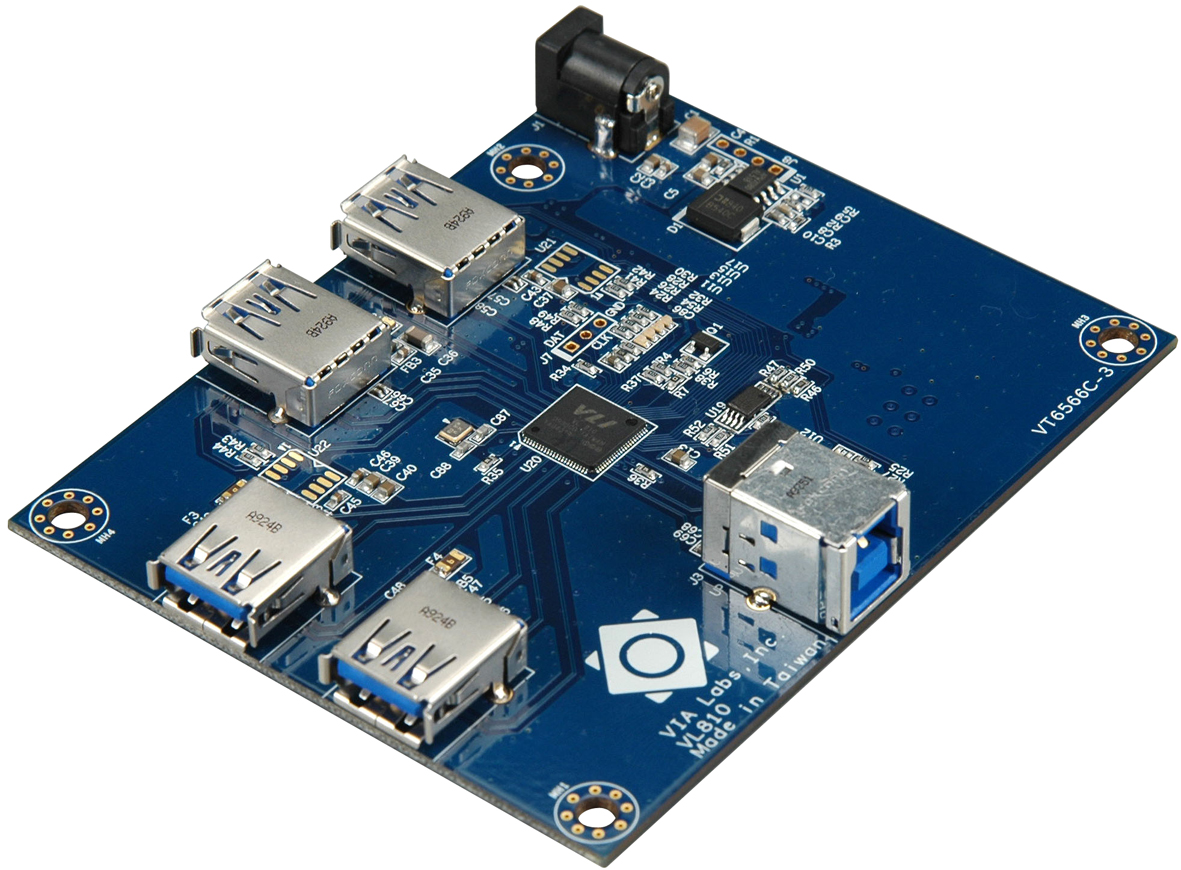
Yes, the hub is powered from its own adapter, and each port on the hub supplies power, from the adapter, to the attached device.

http://en.wikipedia.org/wiki/USB_hub
http://upload.wikimedia.org/wikipedia/c ... _Board.jpg

... a self-powered hub is one that takes its power from an external power supply unit and can therefore provide full power (up to 500 mA [for USB 2.0]) to every port.

Re: Can a laptop damage a hard drive?

August 28th, 2014, 18:22

since its a laptop it seems like the main problem could be related to movement of the laptop. One little move, especially with new high capacity drives will cause the heads to touch the disk and cause the errors you see.
Post a reply