MultiDrive – free backup, clone & wipe disk utility from Atola Technology

All times are UTC - 5 hours [ DST ]


Post new topic Reply to topic  [ 2 posts ] 
Author Message
 Post subject: Need help with recovering partition WD My Book
PostPosted: January 20th, 2015, 11:02 
Offline

Joined: January 19th, 2015, 19:55
Posts: 1
Location: U.S.A.
I have a 1TB My Book that was working just fine until I decided to use a program called Ontrack EasyRecovery Professional to copy another HDD to the My Book. After a few seconds, I realized how stupid I was and cancelled the operation and quit the program. It was too late and I could not access the drive. The drive did show up in disk management and also in devices and drives with a drive letter.

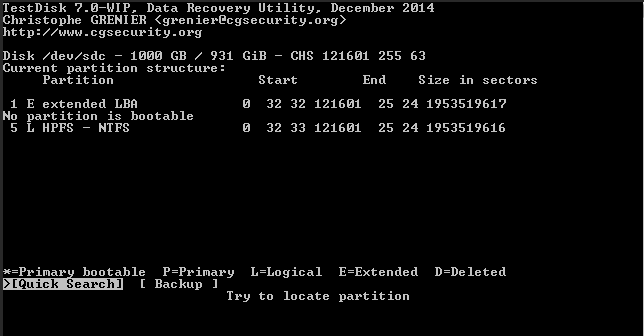
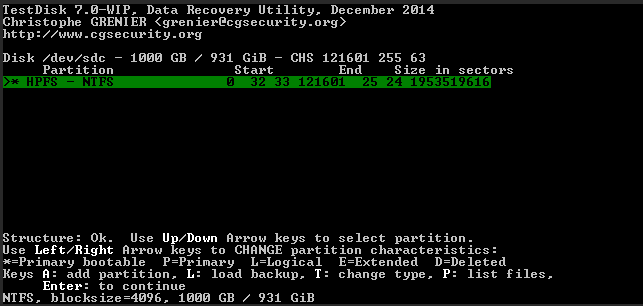
So, I booted into Parted Magic and ran TestDisk. TestDisk was able to find the partition and I was able list my files. I changed the status of the partition from Deleted to Logical and wrote new partition structure, copied the backup of the boot sector over the boot sector, selected Backup BS and then restated the computer.

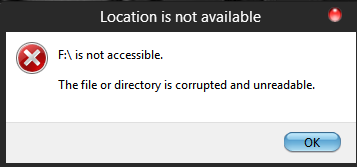
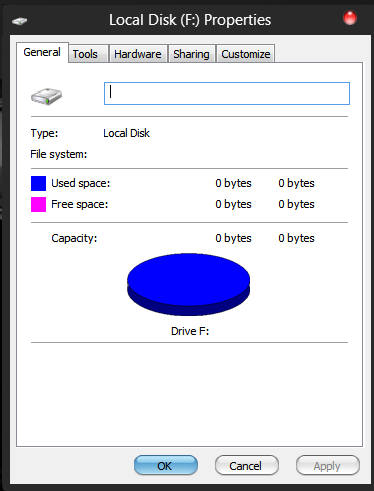
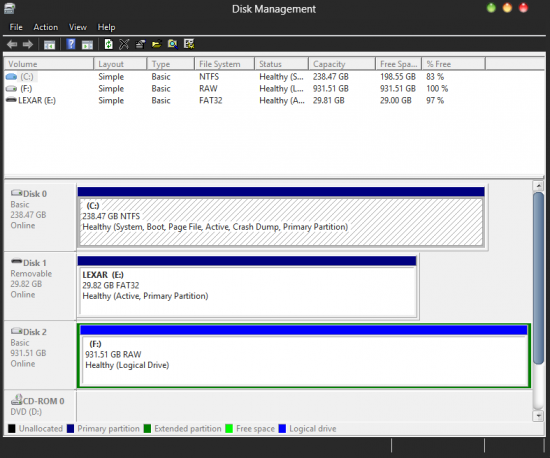
I still cannot access the disk with Windows, but I am still able list and copy the files using TestDisk. The files are fine, just would like to copy all the files. Or, should I just keep copying the folders individually? The disk shows up as RAW in disk management. I posted a few screenshots. What is the next step I should take?

Thanks,


Attachments:
testdiskmybook1.PNG
testdiskmybook1.PNG [ 9.64 KiB | Viewed 3568 times ]
testdiskmybook2.PNG
testdiskmybook2.PNG [ 10.87 KiB | Viewed 3568 times ]
testdiskmybook3.PNG
testdiskmybook3.PNG [ 8.74 KiB | Viewed 3568 times ]
testdiskmybook4.PNG
testdiskmybook4.PNG [ 17.99 KiB | Viewed 3568 times ]
testdiskmybook5.PNG
testdiskmybook5.PNG [ 38.89 KiB | Viewed 3568 times ]
Top
 Profile  
 
 Post subject: Re: Need help with recovering partition WD My Book
PostPosted: January 20th, 2015, 12:22 
Offline
User avatar

Joined: February 9th, 2009, 16:13
Posts: 2573
Location: Ontario, Canada
You won't be able to "fix" it like that. What you need to do is determine how far you overwrote and start scanning from that point to the end of the drive with a program like R-Studio. How clean the file structure will be will depend on how much you overwrote. You will then need to save the recovered files you find to another hard drive larger enough to hold all the recovered data.

Good luck!

_________________
Luke
Recovery Force Data Recovery


Top
 Profile  
 
Display posts from previous:  Sort by  
Post new topic Reply to topic  [ 2 posts ] 

All times are UTC - 5 hours [ DST ]


Who is online

Users browsing this forum: No registered users and 53 guests


You cannot post new topics in this forum
You cannot reply to topics in this forum
You cannot edit your posts in this forum
You cannot delete your posts in this forum
You cannot post attachments in this forum

Search for:
Jump to:  
Powered by phpBB © 2000, 2002, 2005, 2007 phpBB Group