Hi there - I couldn't find a specific answer to this on the forums, but I found enough information that I think I'll be able to ask my question clearly enough.
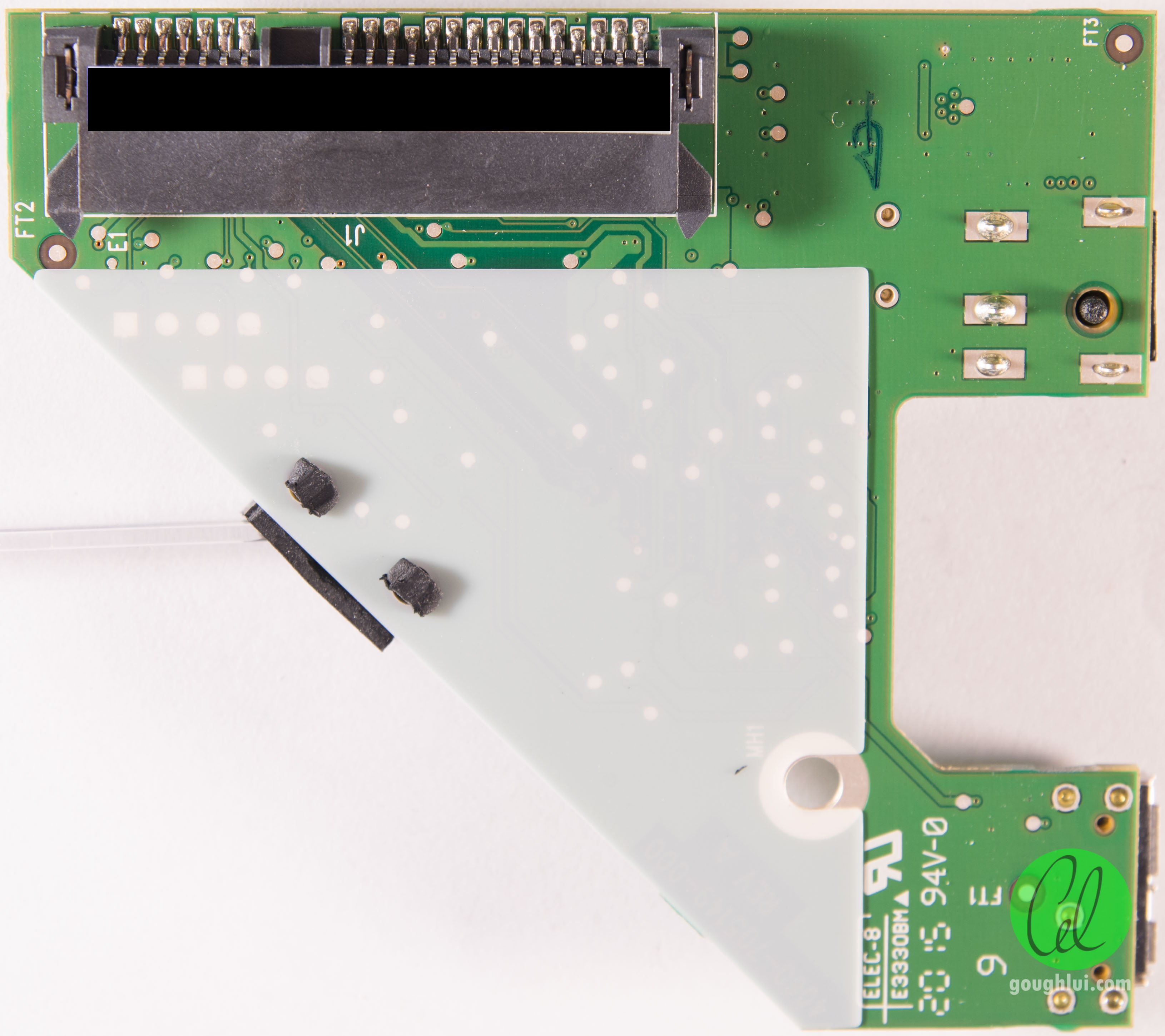
I have a WD MyBook USB 3.0 4TB External HDD that's acting up (WDBFJK0040HBK-04). I put about 3.2TB of my laboratory's data on it when we were at our old institution. We relocated the lab and the HDD physically came with us. At the new location, the drive would not boot. I flew back, got another HDD, and repeated the process. In the new location, I got the same result - no power, no whir, no LED, nothing.
Seeing as we had two of these, I figured I would shell/look inside one of them to see what was wrong (I have modest EE training). Turns out, the electrical outlets at the new location have way too much fluctuation (they were recently installed as part of a lab renovation) to keep these bridge boards happy. Diagnostically, I had the following:
Outlet + Surge Protector: LED is working, but the drive doesn't spin up
Outlet alone: SATA Bridge Board makes that popping sound, square controller chip starts to smoke

So, to see how far the electrical damage had gone, I disconnected the USB/SATA bridge board and put the HD directly into a computer that has matching drivers/OS. Here's the exciting part: it boots up/spins, and Windows even recognizes it as "Drive E:" where it should be. However, I can't see the information on it - I get asked to reformat the drive.
With that in mind, my reading suggests that I need to replace this board/chip. As I understand it, there is a level of encryption at this stage, so even though I can (in theory) bypass the USB for data Tx and the shorted power circuit, I can't get the data back without that board.
I was hoping someone could confirm that this was the direction I needed to go in - replacing the part (4060-7051749-000 REV A) and power transformer (just in case). Is there any aspect of this I might be missing? After getting through this stage, I would hope to see a prompt for the BitLocker password (which I have).
Thank you so much for your time.



 FAQ
FAQ Search
 Login
Login Register
 HDDGURU FILES