Joined: September 3rd, 2018, 15:11
Posts: 1
Location: United States
|
|
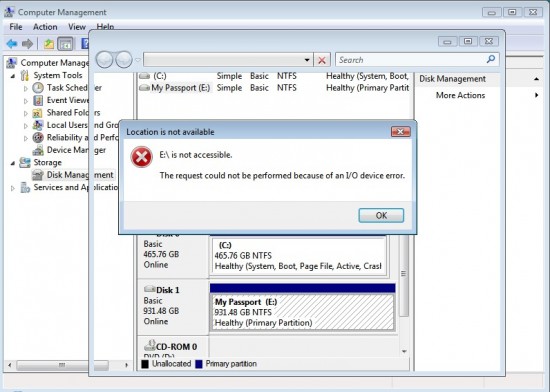
I don't know what happened because the last time I used it, it was working fine. Now, it shows up on My Computer but after a while and when I try to access it I get the following message:
E:\ is not accessible
The request could not be performed because of an I/O device error
Disk Management says that it's healthy. I tried various methods already but no good. Thru Windows File Explorer - got the same message, using Linux - go a message that it can't access it, and data recover software didn't work (it was extremely slow).
Does anyone have any idea what caused this? Any chance that I can fix it or is my only option to take it to a data recovery service?
| Attachments: |
File comment: Disk Management Screenshot
Screenshot.jpg [ 109.96 KiB | Viewed 3725 times ]
|
|
|



 FAQ
FAQ Search
 Login
Login Register
 HDDGURU FILES
