Hi folks,
I have a Toshiba Canvio Basics 3TB (model HDTB330EK3CB) that’s giving signs of dying and I’d like to salvage its contents (there’s lots of photographs that I’m not sure I have backed up on another drive).
This is a terrible drive. It didn’t work too well from the beginning and I should have returned it when I could, but that ship sailed years ago.
For context, I run it on Mac Sonoma 14 (I tried on Windows too with no success) and the files should be Ex-FAT, although its info states that they’re on APFS format (even though I’ve never switched to it).
Attachment:
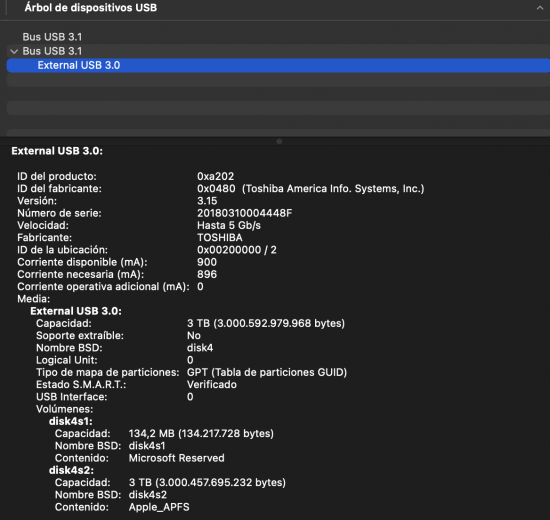 Captura de pantalla 2024-05-09 a las 10.59.57.png [ 220.48 KiB | Viewed 2285 times ]
Attachment:
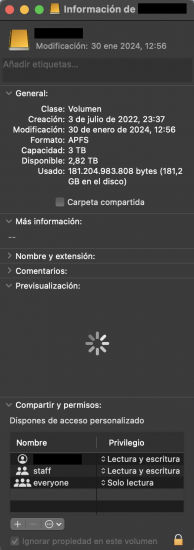 Captura de pantalla 2024-05-09 a las 12.46.55.png [ 149.28 KiB | Viewed 2285 times ]
Around two months ago, it started not showing up on my desktop. You could hear the drive spinning and some light whirring sound inside but I could not access it. After cleaning the metal part of the cable, it ended up working correctly and I could work with it. This is when I should have backed it all up, I know.
I've found these screenshots from that day. I run Disk Manager's First Help on the drive and it showed two warnings back then. There's 1 minute difference between the first and the second picture:
Attachment:
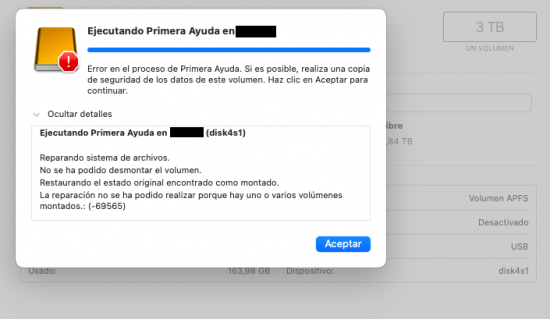 Captura de pantalla 2024-01-30 a las 11.28.04.png [ 89.42 KiB | Viewed 2285 times ]
Attachment:
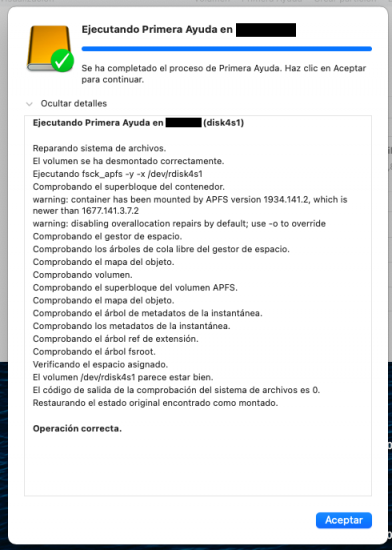 Captura de pantalla 2024-01-30 a las 11.28.58.png [ 100.23 KiB | Viewed 2285 times ]
A couple of weeks ago, the problem came back although I haven’t been able to access the drives’ files this time. I tried using a powered hub but it didn’t work. I tried using a new cable and the drive finally showed up on my desktop but Finder couldn’t read its files, it stated it was “Loading” for a couple of hours but I couldn’t see the files. I tried running Disk Manager but it crashed (both in regular and safety mode).
DriveDX did manage to run an analysis on the troubled hard drive and it stated the drive is failing because of these health indicators:
005 - Reallocated Sector Count: 1.160
197 - Current Pending Sector Count: 72
Attachment:
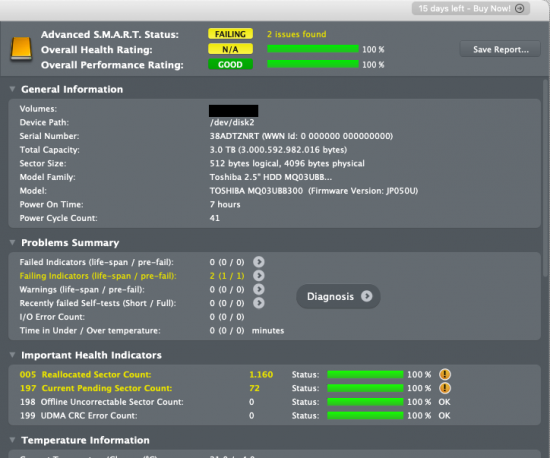 Captura de pantalla 2024-05-16 a las 18.36.44 2 copia.png [ 124.58 KiB | Viewed 2285 times ]
I’m not sure about the next step I should take and I don't want to connect it much to avoid potential damage to the files. The APFS thing is bugging me and I guess that could be the key. My current goal is accessing files, backing them all up and not trusting this drive ever again.
What should I do next? I’m lost about the next steps I should take without damaging the drive (and more importantly, its files).
Thank you all for your help!



 FAQ
FAQ Search
 Login
Login Register
 HDDGURU FILES
