Data recovery and disk repair questions and discussions related to old-fashioned SATA, SAS, SCSI, IDE, MFM hard drives - any type of storage device that has moving parts
Post a reply

6TB WD Black -- WD6003FZBX Repair Help

June 18th, 2024, 18:33

Hello,

I made an account to get some help on this..
I was swapping my PSU and ended up frying both of my drives by forgetting to switch my SATA power cables. One SSD and another HDD. The SSD is currently in a data recovery center, and was a pretty penny, and I don't mess with SSD's all that much. However, I have this HDD which I don't really mind mangling with it too much, and I purchased a Donor board and waiting for that to deliver soon.

I'd like to know what to switch out from this to my donor so I can at least extract some data off this drive. Even if I have to run the drive without certain parts in place (I just don't know which one). I have the tools to perform this, I'm just not savvy for hard drive related stuff.

HDD Details
HDD Type: Western Digital 6TB WD Black Performance Internal Hard Drive HDD - 7200 RPM, SATA 6 Gb/s, 256 MB Cache, 3.5" - WD6003FZBX
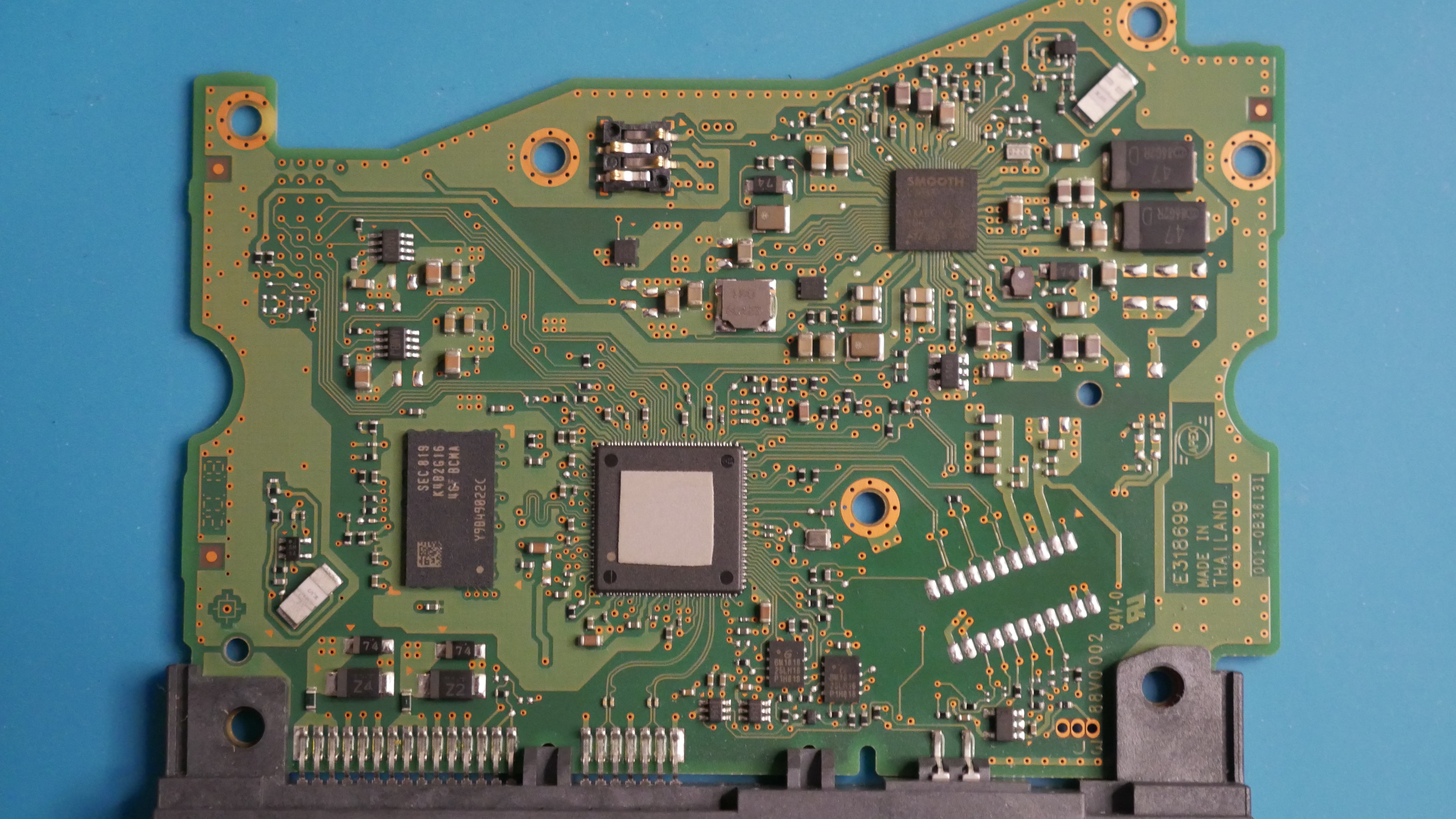
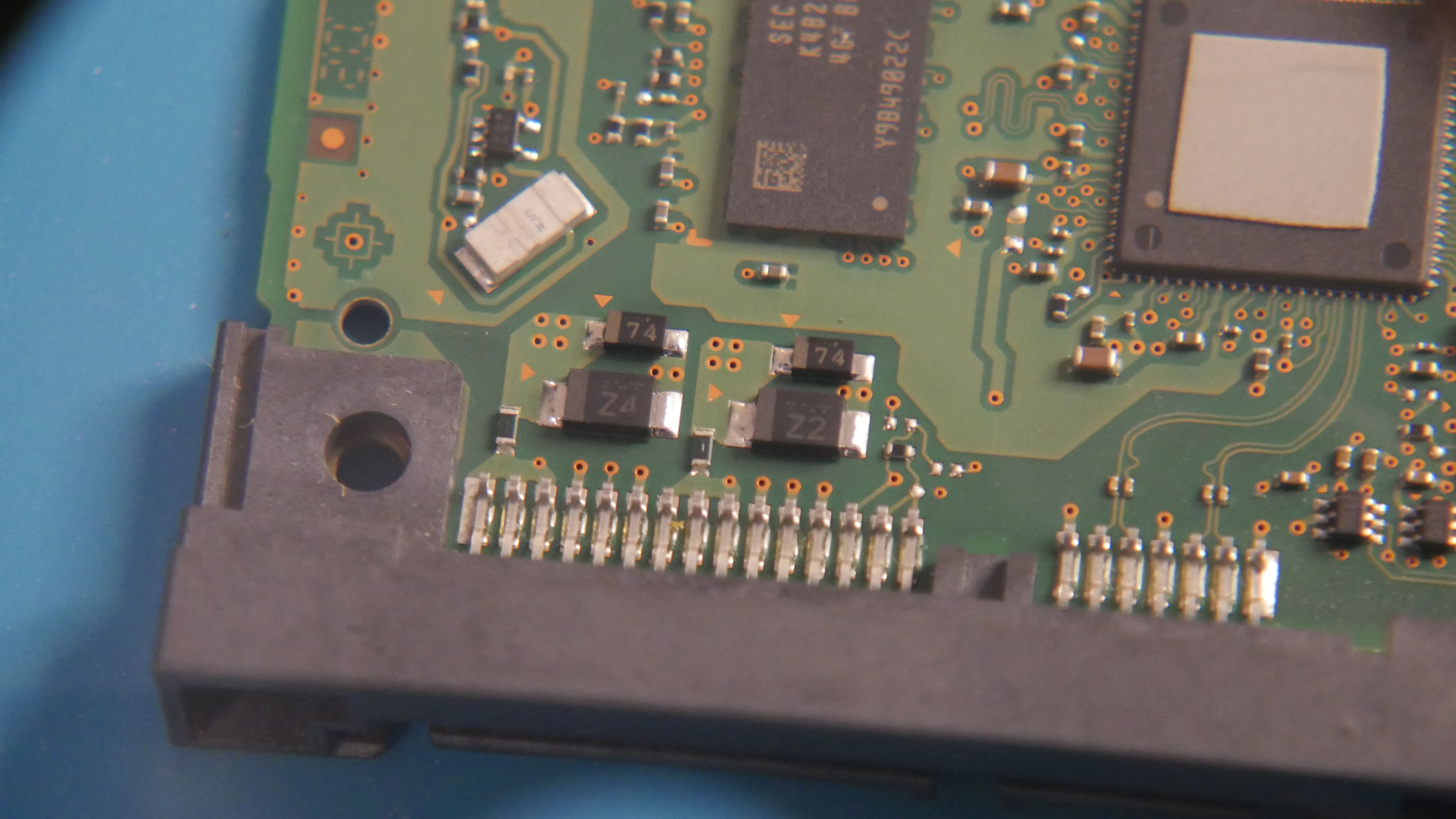
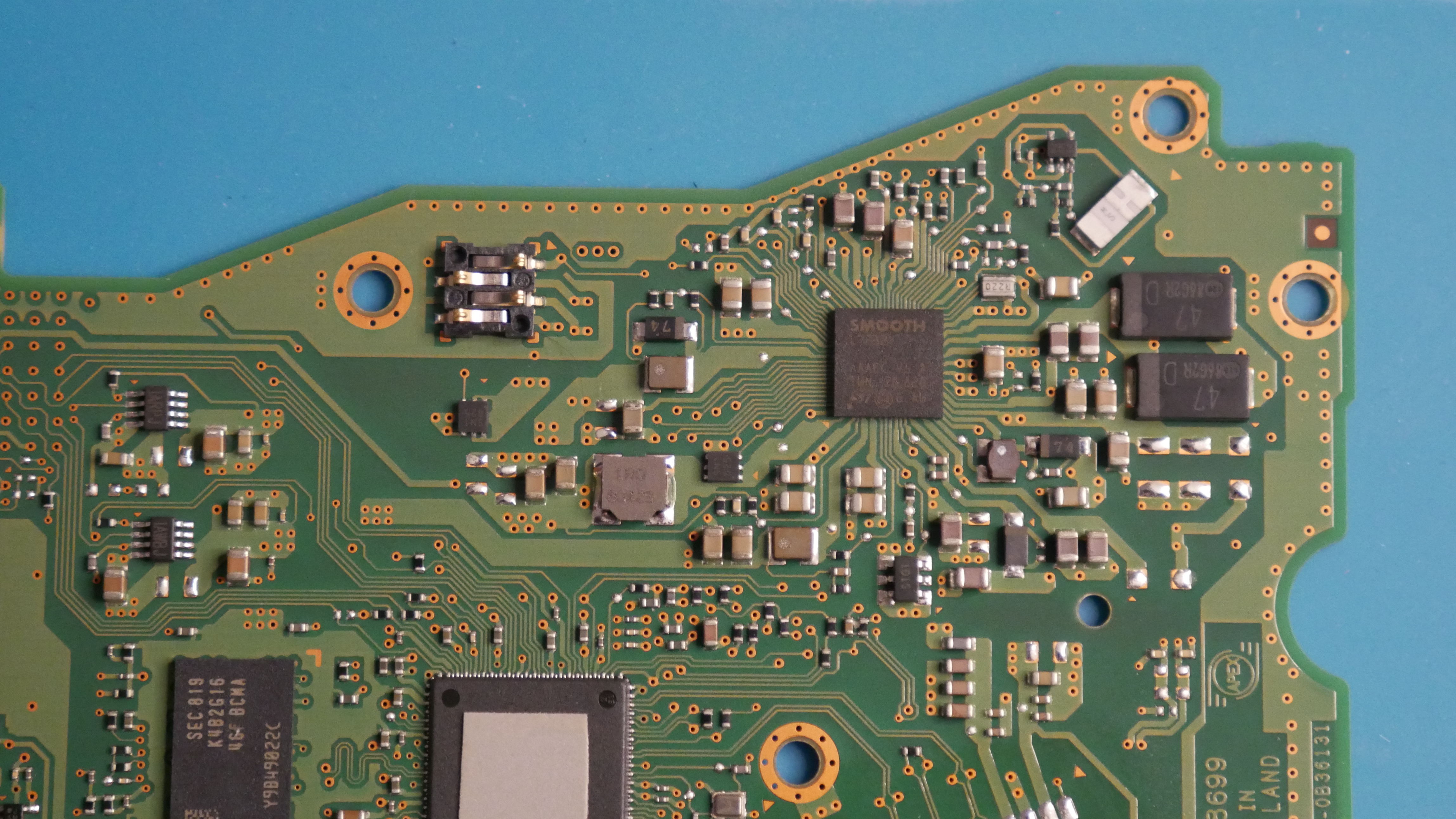
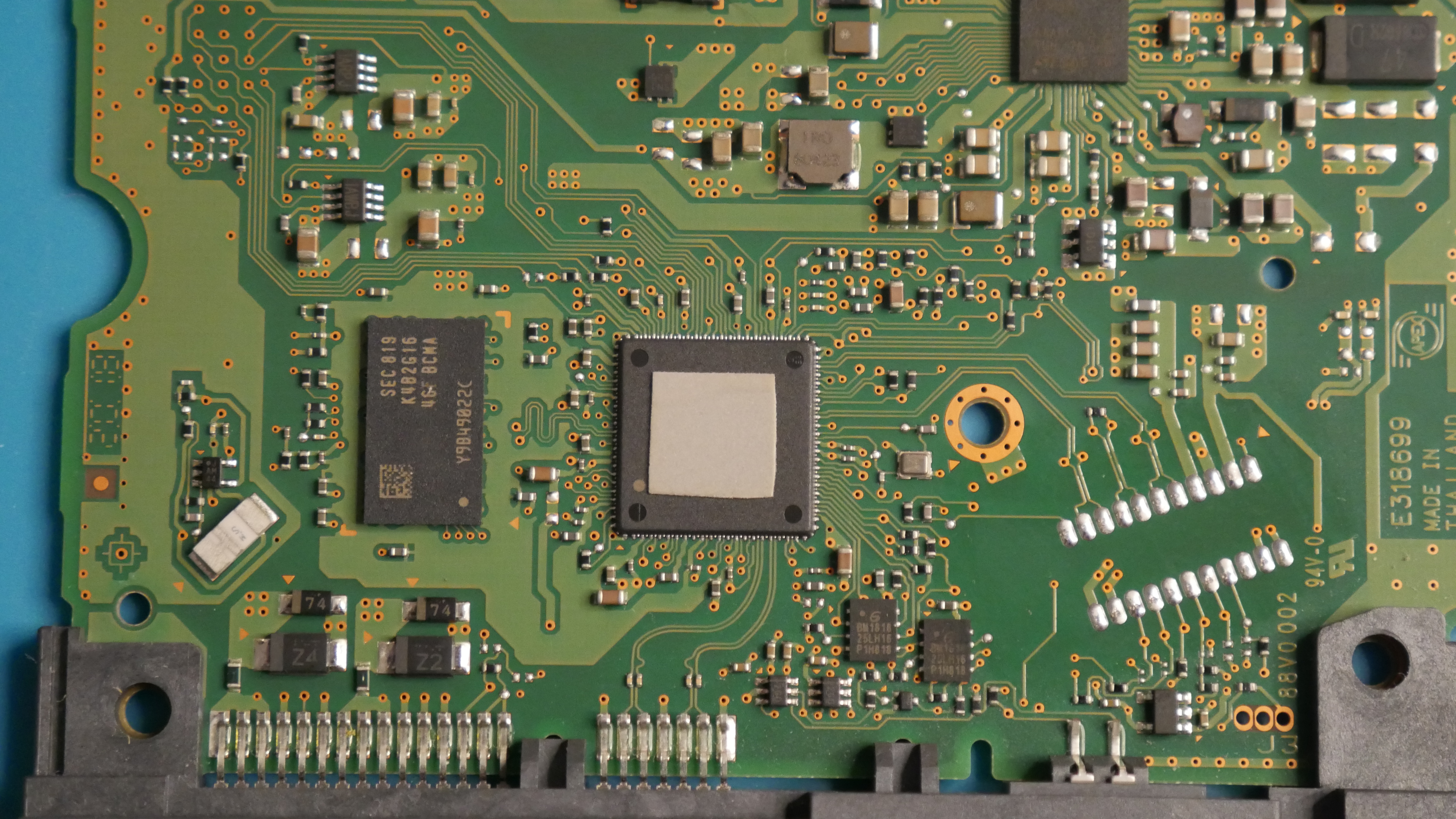
PCB: 001-0B36131

https://files.catbox.moe/lpmdr7.JPG
https://files.catbox.moe/bppt0k.JPG
https://files.catbox.moe/5lgrw5.JPG
https://files.catbox.moe/52fz1v.JPG

Re: 6TB WD Black -- WD6003FZBX Repair Help

June 19th, 2024, 12:46

Start by measuring the resistances of the smt fuses and TVS diodes. If a diode is shorted, remove it. You can snip its pins with flush cutters.

Measure the resistances between ground and each of 5Vin, 12Vin, 5Vout, 12Vout.
Attachments
e-fuses.jpg
e-fuses.jpg (57.56 KiB) Viewed 6032 times
TVS_fuse.jpg
TVS_fuse.jpg (80.41 KiB) Viewed 6032 times

Re: 6TB WD Black -- WD6003FZBX Repair Help

June 19th, 2024, 14:05

fzabkar wrote:Start by measuring the resistances of the smt fuses and TVS diodes. If a diode is shorted, remove it. You can snip its pins with flush cutters.

Measure the resistances between ground and each of 5Vin, 12Vin, 5Vout, 12Vout.


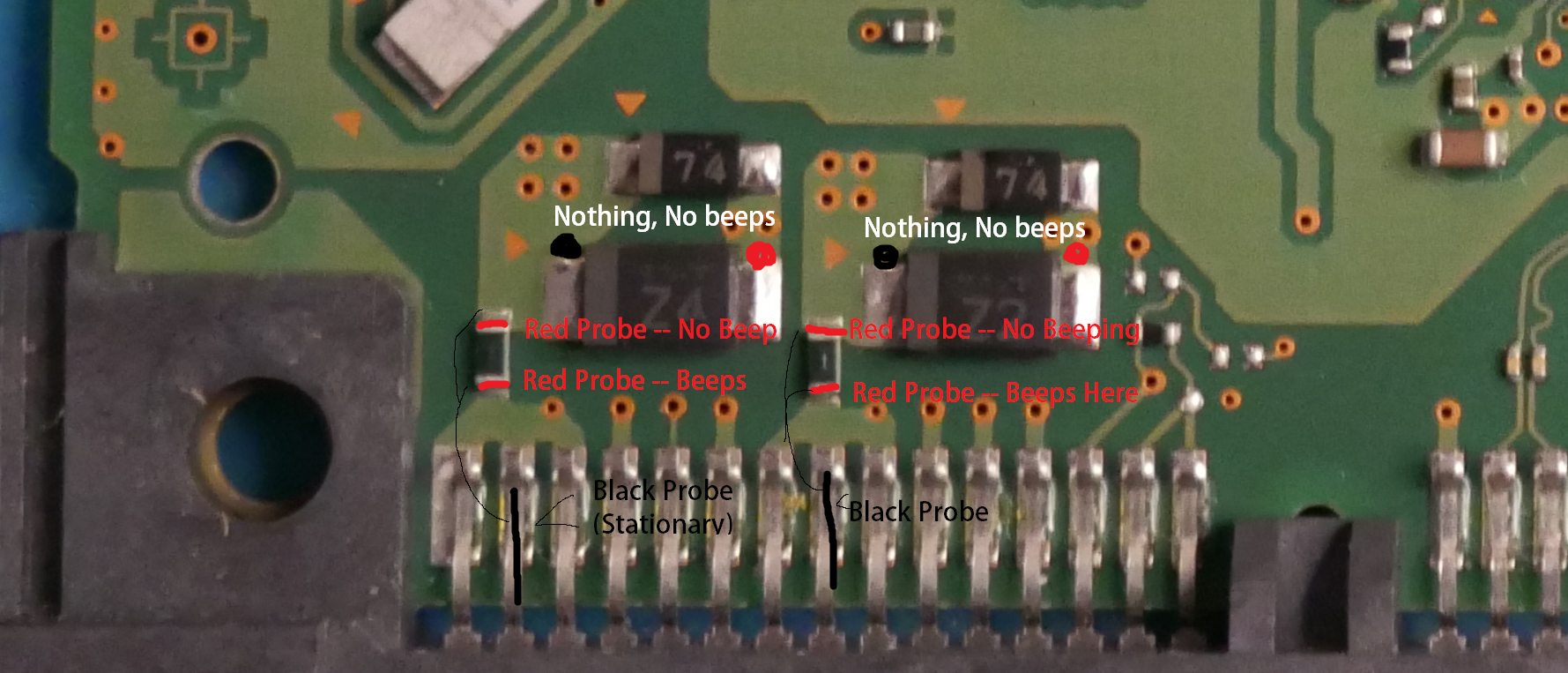
For the first picture, there is no activity or voltage coming through either the 5v in/out and 12v in/out. No beeps.

For the smt fuses, it looks like it only beeps in one direction but not the other. I'm not sure if I'm using my probes right, so I made a picture of what I did.
https://files.catbox.moe/eaa59k.png

Re: 6TB WD Black -- WD6003FZBX Repair Help

June 19th, 2024, 17:17

Both fuses are open. That's unusual. Now check the resistances of the two TVS diodes, Z2 and Z4.

Re: 6TB WD Black -- WD6003FZBX Repair Help

June 19th, 2024, 17:56

fzabkar wrote:Both fuses are open. That's unusual. Now check the resistances of the two TVS diodes, Z2 and Z4.

I removed both TVS diodes to test them individually and with my black probe in the line side and red on the other I got 0.6 for both.

Re: 6TB WD Black -- WD6003FZBX Repair Help

June 19th, 2024, 19:55

Is that 0.6 ohms on the 200 ohms scale, or is that 0.6V on the diode range? If it's 0.6 ohms, then both diodes are shorted.

Re: 6TB WD Black -- WD6003FZBX Repair Help

June 19th, 2024, 20:05

fzabkar wrote:Is that 0.6 ohms on the 200 ohms scale, or is that 0.6V on the diode range? If it's 0.6 ohms, then both diodes are shorted.

It shows 0.6V on the Diode Test mode on my Multimeter. When switching to OHMS, it shows 0L.

Re: 6TB WD Black -- WD6003FZBX Repair Help

June 19th, 2024, 20:45

That means the diodes are OK and that the fuses are probably the only faults.

The best thing to do would be to replace the fuses and reinstall the diodes. However, if there are no other problems, you can flow a blob of solder over each fuse. It all depends on what you are comfortable with. You don't need to reinstall the diodes, but you will be without continued protection if you don't.

Re: 6TB WD Black -- WD6003FZBX Repair Help

June 19th, 2024, 22:32

fzabkar wrote:That means the diodes are OK and that the fuses are probably the only faults.

The best thing to do would be to replace the fuses and reinstall the diodes. However, if there are no other problems, you can flow a blob of solder over each fuse. It all depends on what you are comfortable with. You don't need to reinstall the diodes, but you will be without continued protection if you don't.

Okay so I reinstalled the diodes back in to their respective positions. But Z2 has issues still so I removed both diodes again and blob'd over each fuse like you said. And the drive works! (For now). I'm going to clone the disk to a new HDD I purchased, then replace the diodes at some point later on and keep the drive for misc data.

Thanks so much fzabkar, you're a saint for what you do.

Re: 6TB WD Black -- WD6003FZBX Repair Help

December 3rd, 2024, 0:45

I have the same hard drive with the 004-0B41785 board. The problem is that I'm using an all-in-one PC without a standard power supply like a regular desktop PC. To connect the drive, I used a USB docking station. The drive powers on, makes the usual humming sound like an HDD, and produces two "click-click" sounds when turned on. However, it is not detected in Windows: no messages appear, and it doesn’t show up in Device Manager. I’ve tried various programs, but it’s not recognized anywhere.

Here’s what I’ve checked:

I tested two fuses at the bottom of the board — both are intact.
I tested the TVS diodes:
Resistance on both is ~0.9 kΩ (red probe on the right).
Left Y4: 463 kΩ.
Right: 500 kΩ.
Measurements on inputs and outputs:
5V in: 0.97 kΩ.
5V out: 0.96 kΩ.
12V in: 29.9 kΩ.
12V out: 23 kΩ.
What else can I check to identify the issue?
Post a reply