Data recovery and disk repair questions and discussions related to old-fashioned SATA, SAS, SCSI, IDE, MFM hard drives - any type of storage device that has moving parts
Post a reply

Newbie Question

May 14th, 2007, 17:49

Hello,

I wonder if anyone can shed some light on how to go about sorting out a probable firmware issue I have.

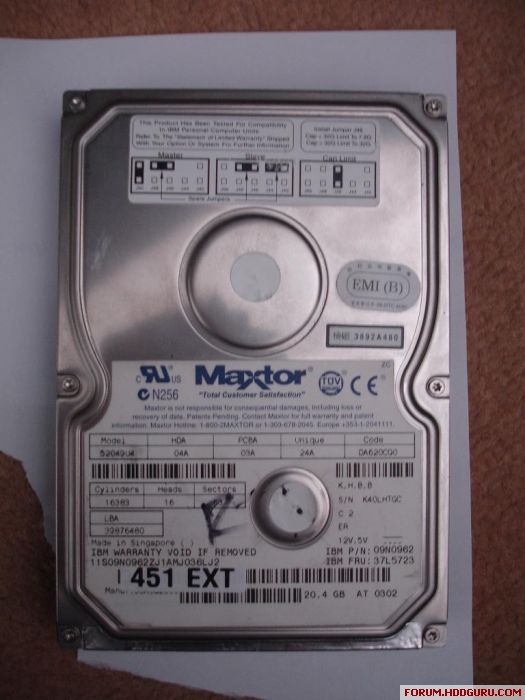
I have an old Maxtor Diamondmax hard disk, it is a 20Gb one, model number 52049U4. Anyway, my father used it to store digital camera pics on but had a power surge, which we thing damaged the firmware. I recently found an identicle drive on e-bay but when I swopped the cards I cannot get my BIOS to see it. It does though see the other hard disk I bought with it's original card on it.

After swopping the cards the drive runs up fine, but I just cannot seem to get the BIOS to see it.

Is there a way of correcting this fault or putting the correct firmware on to it? Can I update the firmware? Is the firmware on PCB or the actual disk?

I was told that the firmware is given on the front of the disk drive (there is a section that code:DA620CQ0), and that this is the firmware code. Other sources have said it is written on a chip on the PCB.

Which is correct?

What is the best way to approach this problem?

Would appreciate any help... This certainly seems to be the best place on the net for HDD issues, so if someone here does not know, then I guess I need to give up!! :?

Thanks

May 14th, 2007, 18:06

Why do you think it is a firnware issue? what symptoms are you getting?

Test the drive with MHDD. Your hard drive does not need to be recognised in BIOS, and MHDD has an error register which may help to tell you what the problem is.

Also on this hard disks label there should be a code relating to PCBA, check that these match before replacing PCBs.

drive problem

May 19th, 2007, 13:55

Hello,

I have tried MHDD as you suggested but it does not find the drive, in a PC with no other hard disks present. Also tried enabling the primary etc.

I can hear and feel the drive spinning up with the donor card, plus it gets warm (but not hot).

The problem drive is the one below.
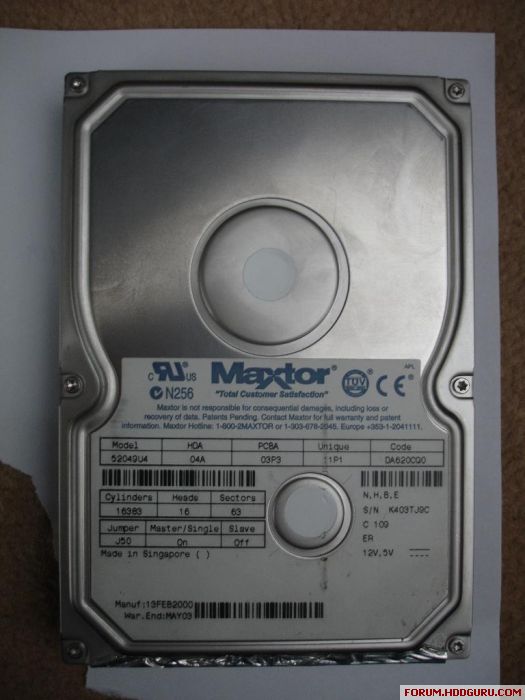
Image


This is the drive i used as a donor

Image

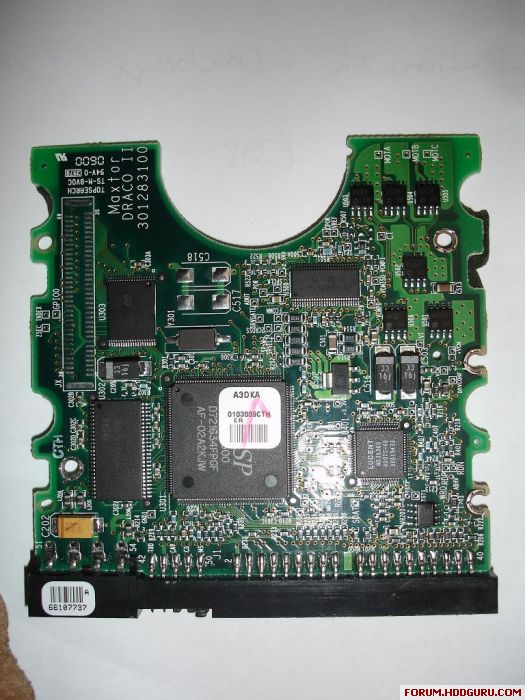
Here is the damaged (not working at all) card
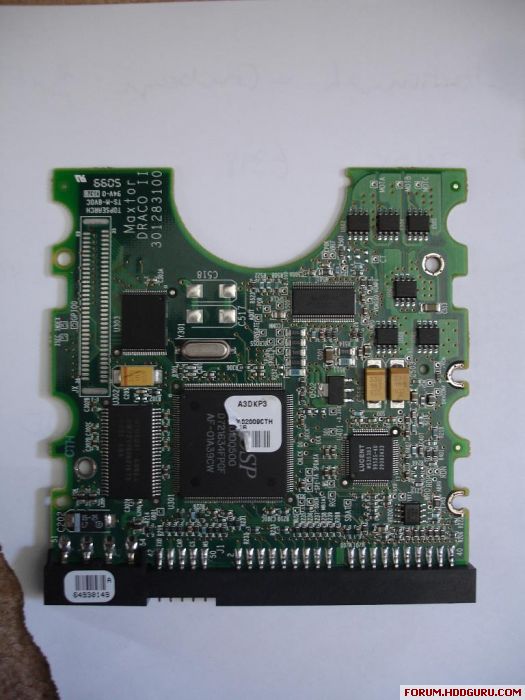
Image

Here is the donor card

Image

basically I am not sure what the problem is. I was told it was likely to be firmware but as HDDGUY said, how do I know for sure that it is?

I was told that I needed to match the drive model number and also the number under CODE on the front of the disk, as this is the firmware reference. But as you can see, the PCBA and UNIQUE codes are not identical. Does anyone know what these codes represent?

I have e-mailed maxtor a few times but only get generic answers that are very vague and point me to their website (the standard link for their support/download section). So no joy there!

Although the cards are very similar some of the chips do have different numbers/references on them. Are these uniquely different enough the stop the drive from being accessable?

So I would greatly appreciate any information or advice anyone here can give me.

Thanks

Post a reply