Toshiba THNSNS240GBSP - not detected by the BIOS or system
March 22nd, 2021, 15:01
Hi.
I got a Toshiba THNSNS240GBSP SSD not seen in the BIOS or in the system:
- connected via a USB adapter - not detected at all
- connected via SATA - detected but in device manager as unknown device and in disk management as unknown disk.
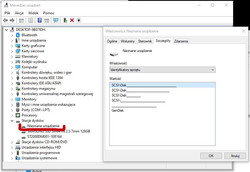
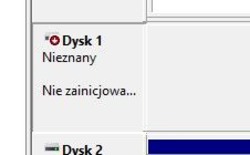
Apparently, yesterday it normally started up in the laptop and after turning off and on again, the computer was no longer able to boot the system. It turned out that the disk was no longer detected.
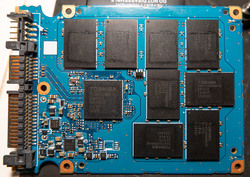
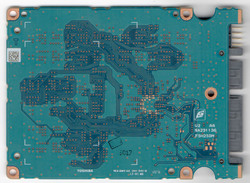
I will add that today I checked this laptop by connecting another drive and everything is fine.
Could someone try with me to diagnose the failure of this disk (if possible of course)?
I got a Toshiba THNSNS240GBSP SSD not seen in the BIOS or in the system:
- connected via a USB adapter - not detected at all
- connected via SATA - detected but in device manager as unknown device and in disk management as unknown disk.
Apparently, yesterday it normally started up in the laptop and after turning off and on again, the computer was no longer able to boot the system. It turned out that the disk was no longer detected.
I will add that today I checked this laptop by connecting another drive and everything is fine.
Could someone try with me to diagnose the failure of this disk (if possible of course)?
Re: Toshiba THNSNS240GBSP - not detected by the BIOS or syst
March 22nd, 2021, 16:26
Searching for information on google, I came across my old topic on one of the local hardware repair forums. I completely forgot about that case and it concerned exactly the same disk model and the same problem.
Then I received the following information:
I suspect that in this case I am dealing with the same problem.
I decided to replace the disk with a new one and close the topic. As for the data - well, I will tell the owner that only tough guys do not make backups, but I would recommend that he start doing it
Then I received the following information:
With Sandforce there is usually a problem with the controller software. Unfortunately, this controller encrypts data in hardware and it is not possible to read data from memory modules. A small percentage of the cases of these controllers can be recovered,
but it depends on whether the software is still working minimally.
I suspect that in this case I am dealing with the same problem.
I decided to replace the disk with a new one and close the topic. As for the data - well, I will tell the owner that only tough guys do not make backups, but I would recommend that he start doing it
Re: Toshiba THNSNS240GBSP - not detected by the BIOS or syst
March 22nd, 2021, 16:34
Toshiba rebranded this cotroller from Sandforce. Usually it is problem with controller.
Powered by phpBB © phpBB Group.