| HDD GURU FORUMS http://forum.hddguru.com/ |
|
| USB 3.0 and SSD speed in Windows 7 http://forum.hddguru.com/viewtopic.php?f=10&t=33401 |
Page 1 of 1 |
| Author: | Mr Wolf [ May 4th, 2016, 18:40 ] |
| Post subject: | USB 3.0 and SSD speed in Windows 7 |
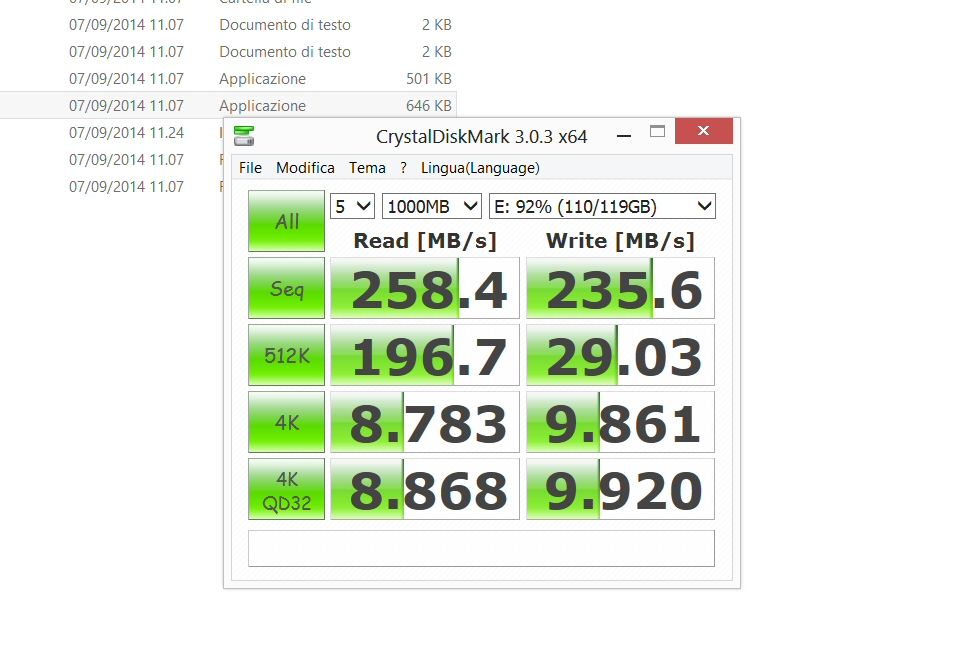
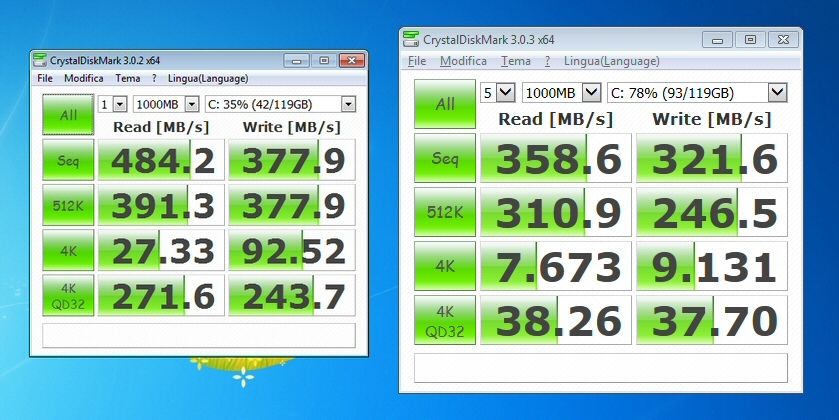
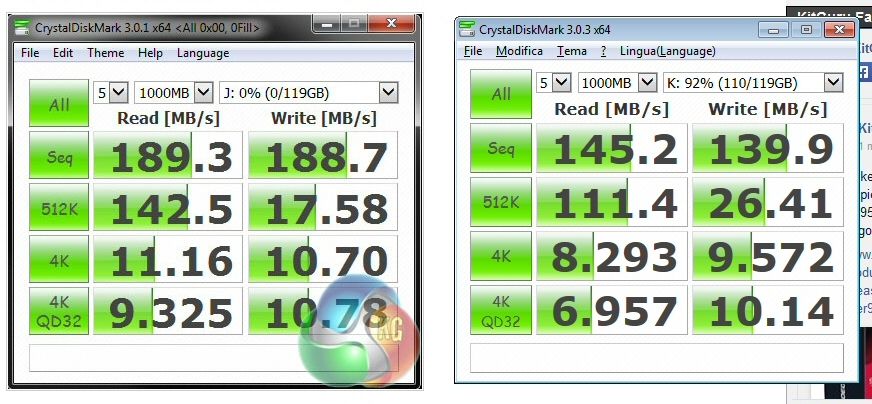
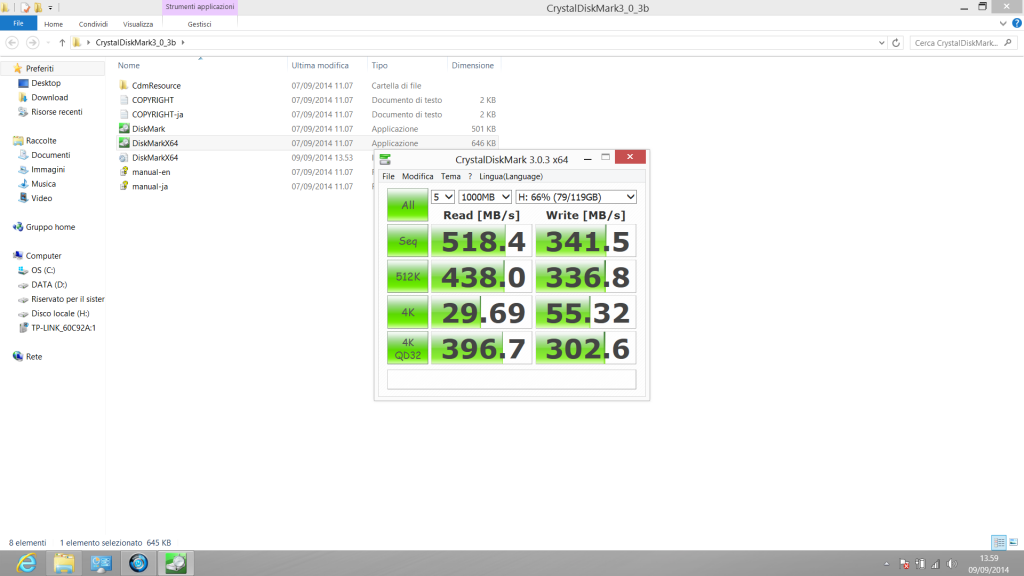
Hi all! I was making some tests regarding the speed of my internal SSD and of USB 3.0 on my notebook (Asus N76VZ) with installed Windows 7 64 bit, using CrystalDiskMark. My SSD is a Samsung 840 Pro 128 GB. Here are the results of the test (mine are on the right, compared with some found on the Internet) ![]() There's quite a difference. About the USB 3.0, I tested a SanDisk Extreme Pro 128 GB pen drive, and here are the results (mine are always on the right) : ![]() Also.in this case, there's a considerable difference. I then tried the same speed tests on the same devices in Windows 8 64 bit (which was pre-installed in my notebook). Here are the results for the SSD: ![]() and here are for the pen drive: ![]() I was absolutely abstonished. I searched high and low, but I couldn't find an answer to explain this big differences between the results in Windows 7 and Windows 8. As regards the USB 3.0, I can only say the drivers in Windows 7 are Intel, while Windows 8 supports natively USB 3.0 and the drivers are Microsoft. Don't you think I want to blame Intel for this - I'm just looking for an explanation. Anyone can tell me if there are known limitations in Windows 7 about the USB 3.0 and the SATA speed or whatever? Many thanks in advance! |
|
| Author: | HaQue [ May 4th, 2016, 18:54 ] |
| Post subject: | Re: USB 3.0 and SSD speed in Windows 7 |
I don't know if it will make a difference, but do the following: find the service tag or go and search for the support page of your notebook on their website. look for any BIOS update and chipset updates, intel rapid storage drivers etc. Check on the SSD vendors website and see if there is a utility for that drive and have a look what it can tell you. Also, there may be later drivers on the actual hardware vendor pages that on your notebook vendor site. Also check if the SSD is "aligned".. google for the following: SSD aligned what To see if your partitions are aligned correctly, run msinfo32. Enter Msinfo32. Go to Components/Storage/Disks. Look for your SSD and find "Partition Starting Offset". If this number is divisible exactly by 4096 the partition is correctly aligned. If not, you should realign it. |
|
| Author: | jermy [ May 4th, 2016, 19:18 ] |
| Post subject: | Re: USB 3.0 and SSD speed in Windows 7 |
Maybe in win 7 there is something running which is stealing resources (RAM + CPU) making the computer slower |
|
| Author: | Mr Wolf [ May 5th, 2016, 11:52 ] |
| Post subject: | Re: USB 3.0 and SSD speed in Windows 7 |
Thanks for your answers! By the way, I opened the same topic on the Intel community, and was told to install last drivers. I forgot to say that I have another notebook with AMD and Windows 7, and performing the same tests I got more or less the same results. In my opinion, there's something related to Windows 7, since Windows 8 supports natively USB 3.0. |
|
| Author: | FileSavers [ May 5th, 2016, 12:28 ] |
| Post subject: | Re: USB 3.0 and SSD speed in Windows 7 |
I can tell you we have some machines with Windows 7 and some with Windows 8 in our lab and all my Windows 8 machines seem to boot faster, run faster, copy data faster, etc.... I think Microsoft made some changes in the Windows 8 OS that seems to help these processes operate smoother etc.... |
|
| Author: | data-medics [ May 5th, 2016, 13:41 ] |
| Post subject: | Re: USB 3.0 and SSD speed in Windows 7 |
Not all USB 3.0 cards are created equally. Some are simply faster than others, or slower. Some support UASP mode, others don't. Generally speaking earlier USB 3.0 controllers will be slower than the newer ones. I suspect the issue is hardware related, might not even be driver related. A better comparison would be to try it both in Win 7 and Win 8 using the exact same hardware and see what difference it makes. Right now you're comparing apples to oranges. |
|
| Author: | Mr Wolf [ May 5th, 2016, 13:56 ] |
| Post subject: | Re: USB 3.0 and SSD speed in Windows 7 |
Yep, the first tests I posted were made on Windows 7 (which I installed from scratch) and on Windows 8 (which was pre-installed) on the same notebook. This afternoon, I tried to install ASUS USB 3.0 Boost: http://event.asus.com/mb/2010/The_Best_USB3_Experience/The_UASP_For_USB3.0.htm but it didn't install. What tried most was to find information and, in special way, other tests to make a comparison, but I couldn't come to any clear result. |
|
| Author: | HaQue [ May 5th, 2016, 18:50 ] |
| Post subject: | Re: USB 3.0 and SSD speed in Windows 7 |
Did you look into what I suggested earlier about alignment? Curious if yours were aligned already or not |
|
| Author: | Mr Wolf [ May 6th, 2016, 5:38 ] |
| Post subject: | Re: USB 3.0 and SSD speed in Windows 7 |
Ok, I've just done. By the way, now, I have a Samsung 850 Pro 256 GB. I disabled prefetch, superfetch, defragmentation, indexing. The notebook has SATA3. I have Windows 7 Pro 64 bit installed in it, with the recovery partition with partition starting offset 1048576, which, divided by 4096, gives 256. The main partition has as partition starting offset 105906176, which, divided by 4096, gives 25856. So, the SSD should be aligned. What really annoys me, however, is the difference in speed for USB 3.0 between Windows 7 and Windows 8. I think it's driver related. |
|
| Page 1 of 1 | All times are UTC - 5 hours [ DST ] |
| Powered by phpBB © 2000, 2002, 2005, 2007 phpBB Group http://www.phpbb.com/ |
|