Hi all

Can somebody send me a SDSSDA-240G-G25 and G26 firmware ? Mine is not recognized and i will try to flash it with SMI MPTool.
Or anybody knows wich version of SMI MPTool i need to use ?
thank you very much !
| HDD GURU FORUMS http://forum.hddguru.com/ |
|
| SDSSDA-240G-G25 firmware http://forum.hddguru.com/viewtopic.php?f=10&t=42415 |
Page 1 of 1 |
| Author: | schmitz37 [ May 18th, 2022, 2:27 ] |
| Post subject: | SDSSDA-240G-G25 firmware |
Hi all Can somebody send me a SDSSDA-240G-G25 and G26 firmware ? Mine is not recognized and i will try to flash it with SMI MPTool. Or anybody knows wich version of SMI MPTool i need to use ? thank you very much ! |
|
| Author: | schmitz37 [ May 20th, 2022, 2:39 ] |
| Post subject: | Re: SDSSDA-240G-G25 firmware |
And does anybody have this "Sandisk SiliconMotion Utility" ? Thank you very much !
|
|
| Author: | Amarbir[CDR-Labs] [ May 21st, 2022, 14:09 ] |
| Post subject: | Re: SDSSDA-240G-G25 firmware |
schmitz37 wrote: Hi all Can somebody send me a SDSSDA-240G-G25 and G26 firmware ? Mine is not recognized and i will try to flash it with SMI MPTool. Or anybody knows wich version of SMI MPTool i need to use ? thank you very much ! Hi, Can we have a picture of what you have that will be interesting |
|
| Author: | schmitz37 [ May 22nd, 2022, 16:56 ] |
| Post subject: | Re: SDSSDA-240G-G25 firmware |
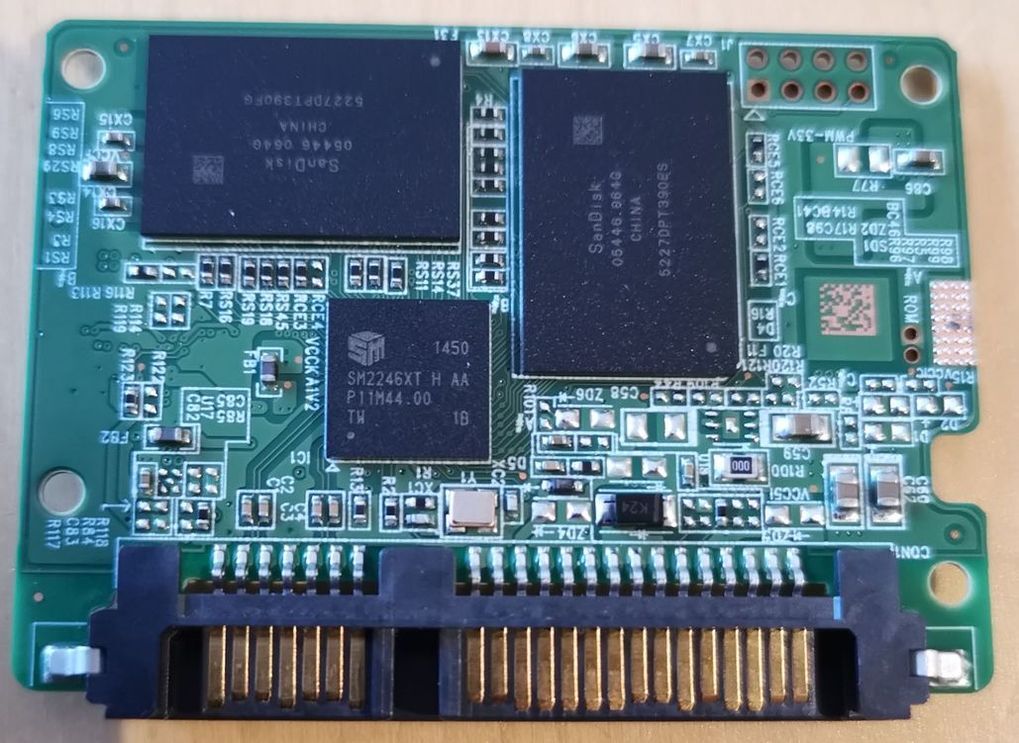 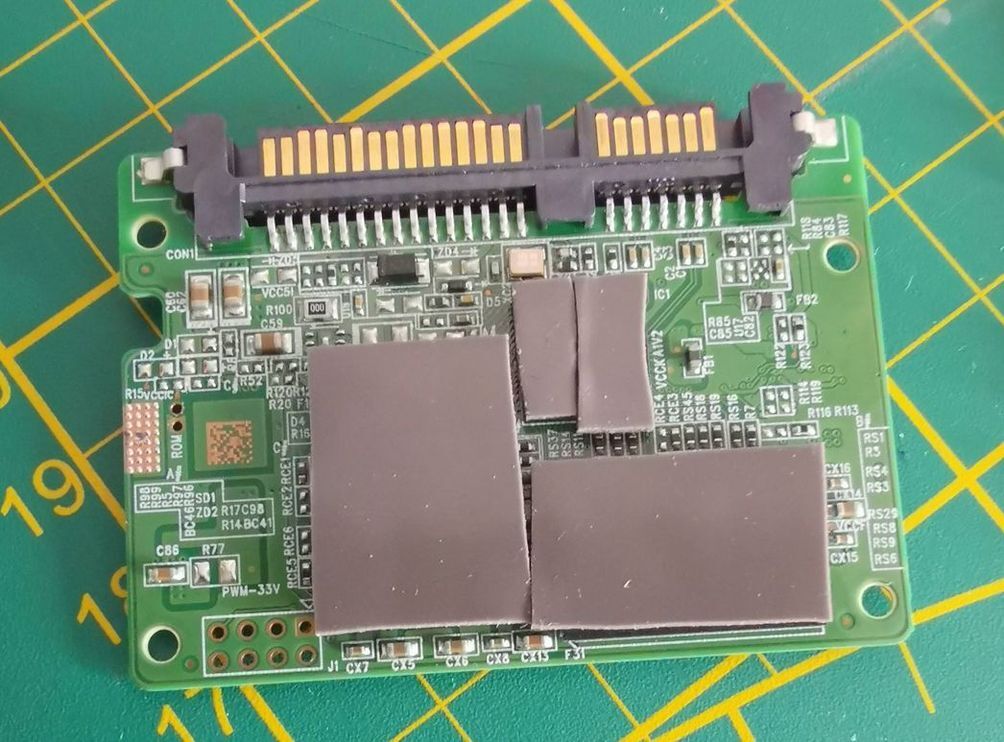 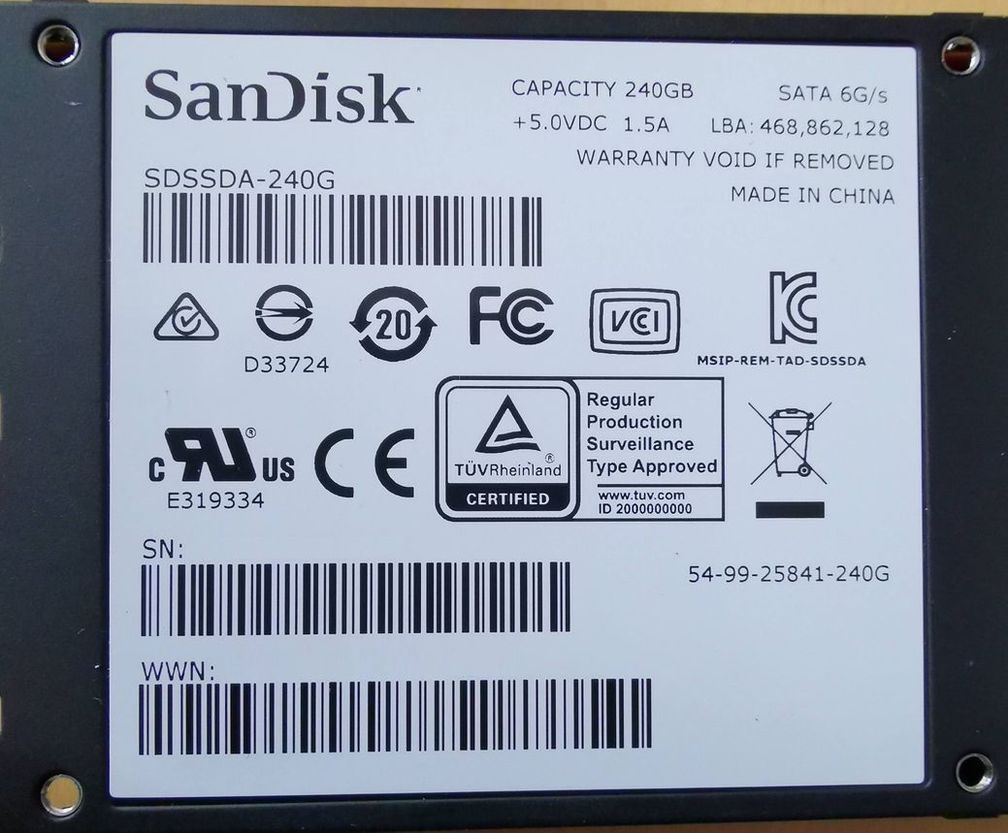 Here it is ! Finaly, i find a solution myself : I use SMI MPTool SM2246XT from usbdev.ru (first file) and apply the firmware. I will write here how i do that tomorrow  I add also thermal pads to refresh my ssd the gain is about 3-4° as i can see.
|
|
| Author: | fzabkar [ May 23rd, 2022, 12:38 ] |
| Post subject: | Re: SDSSDA-240G-G25 firmware |
Nice work! Looking forward to your write-up ... |
|
| Author: | grevan [ May 26th, 2022, 16:31 ] |
| Post subject: | Re: SDSSDA-240G-G25 firmware |
Data is gone, right? |
|
| Author: | schmitz37 [ August 21st, 2022, 6:12 ] |
| Post subject: | Re: SDSSDA-240G-G25 firmware |
Sorry for this late reply. I've lost my writings for how to upgrade FW on this SDSSDA-240G-G25  As i can remember, the main reason that this dont worked is the fact that the file used was not adapted to my SSD ( firmware dont match and i cant find clear informations how to use this tool). For mine SSD, i used this file : SM2246XT_MP_EnhancePageMode_MPQ1102A_DBQ0412_FWQ0927A 1. You need to short circuit ROM pins on the MB 2. Plug the ssd (i use sata ssd adapter USB) 3. Launch sm2246XT_MPTool_Q1102A.exe 4. Lauch start on main page TEST = no errors, all is recognised. 5. I remeber that i go to parameters page and check if size was OK inside bow "Flash select". I try push button AUTO if it wasn't OK. 6. After that, inside same page, i click on "edit config" and try to fullfill serial, vendor model, and most of values that need to be fullfilled. 7. I save config and go to TEST page. 8. I run flash. Be careful : I can remember if you need to remove short-circuit ROM pin or not to do the flash correctly. The only issue i saw (but not mandatory for great functionning) is that SanDisk Dashboard app dont recognize my SSD as a SanDisk SSD, even all informations inside parameter page have been fullfilled. But SMART values, suface RW tests, speed benchs, all is OK. So, if you have same SSD, you can try this. If i can find my screenshot, i will post it here. I hope this can help someone. |
|
| Author: | fzabkar [ August 21st, 2022, 12:54 ] |
| Post subject: | Re: SDSSDA-240G-G25 firmware |
I think you only need to short the ROM pins until the controller boots, thereafter you can release the short. |
|
| Author: | bobaflett [ November 3rd, 2023, 4:26 ] |
| Post subject: | Re: SDSSDA-240G-G25 firmware |
I know this thread is a year old but was hoping to find a little bit of help. Have the exact same SSD as op and I'm running through their steps but getting the error Compare Flash ID Fail(03) after selecting my Flash on the Parameter tab. I'm nervous about screwing this up more than it already is so I'm hoping someone else has a little insight for me. I made sure I took screenshots of everything in case they were needed. |
|
| Page 1 of 1 | All times are UTC - 5 hours [ DST ] |
| Powered by phpBB © 2000, 2002, 2005, 2007 phpBB Group http://www.phpbb.com/ |
|