|
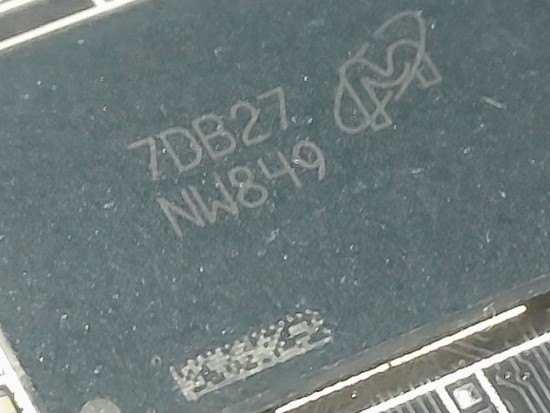
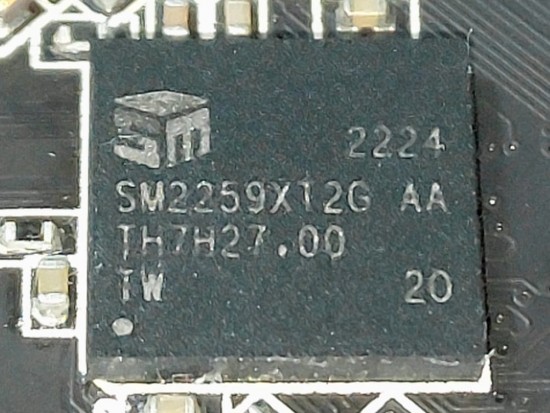
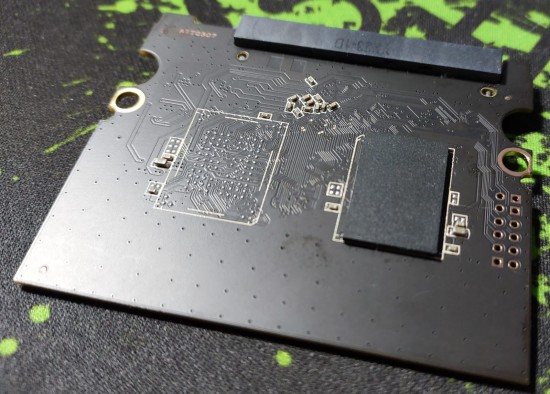
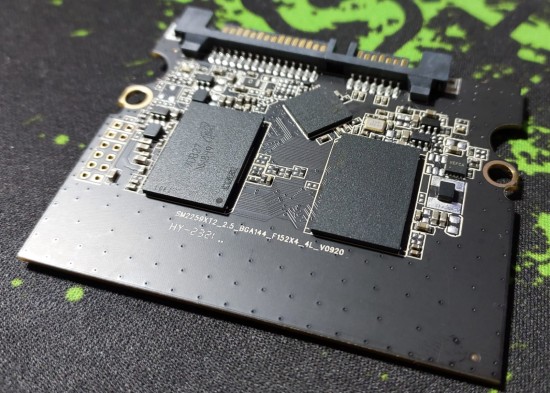
I have a 960GB Kingston A400 SSD, the exact model is the SA400S37/960G it uses a Silicon Motion SM2259XT2 controller and Micron nands whose marking on the chip is 7DB27 NW849, researching I ended up arriving at this code MT29F3T08EUHBBM4-3R:B of 3Tbits per chip, this SSD has 3 chips, running the smi flash id app it reported that the memories are Micron 32L(B0KB) TLC 768Gb/CE 384Gb/die!!!
When I connect the SSD to the PC normally it doesn't even recognize the SSD, it doesn't recognize anything, but when I make the jumper it goes into ROM Mode and it recognizes the 1GB drive and so I can run the smi flash id, below is all the information reported by this app:
Model: SM59XT2A-80-10000001
Fw : 20210308
Size : 0 MB [0.0 GB]
Controller : SM2259XA in ROM Mode
Model: SM59XT2A-80-10000001
Fw : 20210308
Size : 0 MB [0.0 GB]
Controller : SM2259XA in ROM Mode
Bank00: 0x2c,0xcc,0xf9,0x32,0xaa,0x4,0x0,0x0 - Micron 32L(B0KB) TLC 768Gb/CE 384Gb/die
Bank01: 0x2c,0xcc,0xf9,0x32,0xaa,0x4,0x0,0x0 - Micron 32L(B0KB) TLC 768Gb/CE 384Gb/die
Bank02: 0x2c,0xcc,0xf9,0x32,0xaa,0x4,0x0,0x0 - Micron 32L(B0KB) TLC 768Gb/CE 384Gb/die
Bank03: 0x2c,0xcc,0xf9,0x32,0xaa,0x4,0x0,0x0 - Micron 32L(B0KB) TLC 768Gb/CE 384Gb/die
Bank04: 0x2c,0xcc,0xf9,0x32,0xaa,0x4,0x0,0x0 - Micron 32L(B0KB) TLC 768Gb/CE 384Gb/die
Bank05: 0x2c,0xcc,0xf9,0x32,0xaa,0x4,0x0,0x0 - Micron 32L(B0KB) TLC 768Gb/CE 384Gb/die
Bank06: 0x2c,0xcc,0xf9,0x32,0xaa,0x4,0x0,0x0 - Micron 32L(B0KB) TLC 768Gb/CE 384Gb/die
Bank07: 0x2c,0xcc,0xf9,0x32,0xaa,0x4,0x0,0x0 - Micron 32L(B0KB) TLC 768Gb/CE 384Gb/die
Bank08: 0x2c,0xcc,0xf9,0x32,0xaa,0x4,0x0,0x0 - Micron 32L(B0KB) TLC 768Gb/CE 384Gb/die
Bank09: 0x2c,0xcc,0xf9,0x32,0xaa,0x4,0x0,0x0 - Micron 32L(B0KB) TLC 768Gb/CE 384Gb/die
Bank10: 0x2c,0xcc,0xf9,0x32,0xaa,0x4,0x0,0x0 - Micron 32L(B0KB) TLC 768Gb/CE 384Gb/die
Bank11: 0x2c,0xcc,0xf9,0x32,0xaa,0x4,0x0,0x0 - Micron 32L(B0KB) TLC 768Gb/CE 384Gb/die
Bank12: 0x0,0xff,0xff,0xff,0xff,0xff,0x0,0x0 -
Bank13: 0x0,0xff,0xff,0xff,0xff,0xff,0x0,0x0 -
Bank14: 0x0,0xff,0xff,0xff,0xff,0xff,0x0,0x0 -
Bank15: 0x0,0xff,0xff,0xff,0xff,0xff,0x0,0x0 -
I didn't find the MPTOOL with the correct firmware for this Micron Nand, I looked on USBdrv.ru, I found 2Tbit and 4Tbit, even with the incorrect memory the MPTOOL worked and I even managed to scan the unit, it recognizes it but it gives an error. time to compare the firmware which is expected because the Nand is not correct!!!
I believe that if you can get the MPTOOL with the correct Firmware for this memory model, who knows, maybe you can recover this unit, I suspect that it is not original, I found the seal and finish of the case a bit questionable, but even so, the Nands and the Controlled, I would like to try to repair it and if there is someone who can help me I would be very grateful!!!
Thank you all !!!
| Attachments: |
SA400S37-960G (5).jpeg [ 90.17 KiB | Viewed 15491 times ]
|
SA400S37-960G (4).jpeg [ 95.2 KiB | Viewed 15491 times ]
|
SA400S37-960G (3).jpeg [ 222.67 KiB | Viewed 15491 times ]
|
SA400S37-960G (2).jpeg [ 254.43 KiB | Viewed 15491 times ]
|
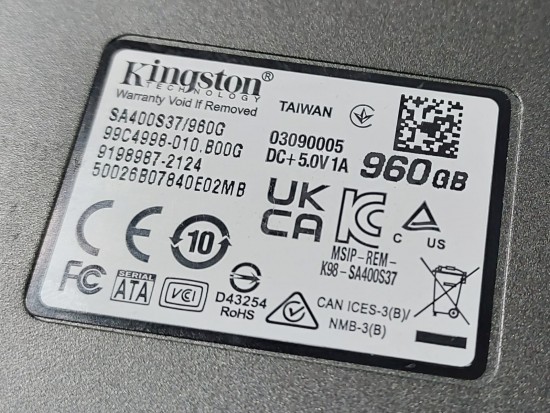
SA400S37-960G (1).jpeg [ 271.66 KiB | Viewed 15491 times ]
|
|



 FAQ
FAQ Search
 Login
Login Register
 HDDGURU FILES

