In NAND data‑recovery workflows, some memory chips generate a large number of alternate blocks after conventional sector‑sorting operations due to their native storage strategies.
This severely degrades the accuracy of data reconstruction. Manually adjusting block attributes one‑by‑one is cumbersome and extremely time‑consuming.
The new version of NFTracer introduces the Set Block Attribute feature to efficiently resolve this challenge.
Below is a complete operational walkthrough based on a real‑world image of a JmSD chip.
Case BackgroundWhen this case image was processed directly with the conventional sector‑sorting algorithm, the recovery result was poor.
Approximately 80 % of folders and files became corrupted, and valid data could not be extracted properly.
We re‑processed this image using the "Set Block Attribute" function.
Operating ProcedureStep 1. Identify and Mark SLC Blocks
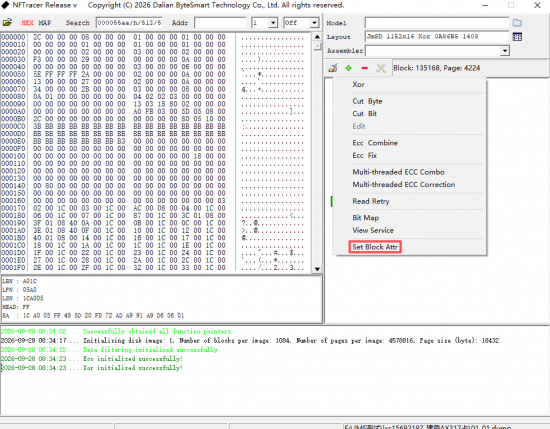
Open the Set Block Attr dialog via the right‑click menu.
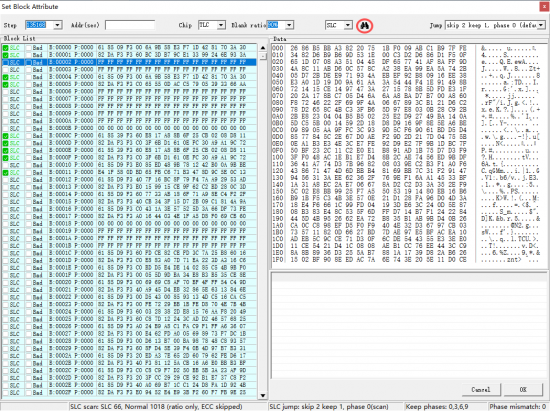
Click the auto‑scan button, and the software will automatically detect all SLC blocks within the image.
Click OK to confirm and finish block‑attribute marking.
Attachment:
 928-1.png [ 69.21 KiB | Viewed 224 times ]
Attachment:
 928-2.png [ 169.59 KiB | Viewed 224 times ]
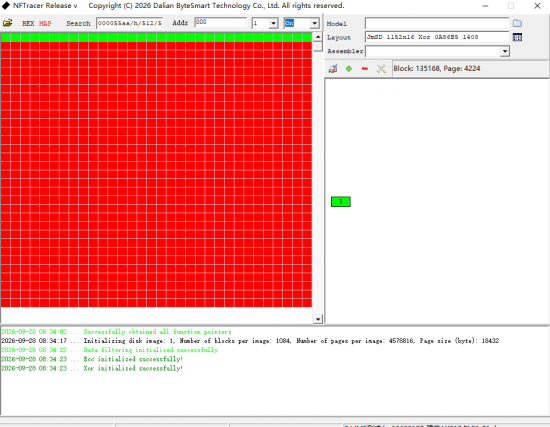
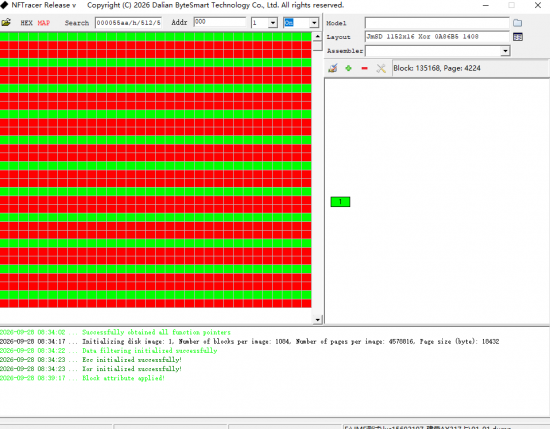
ECC Grid Comparison Before and After SLC Block Configuration
Before SLC block configuration: The ECC grid shows extensive red error indicators, indicating abnormal page error‑correction status.
Attachment:
 928-3.png [ 35.44 KiB | Viewed 224 times ]
After correct configuration: The ECC grid displays normal alternating red‑and‑green stripes, confirming that block‑attribute recognition takes effect.
Attachment:
 928-4.png [ 35.28 KiB | Viewed 224 times ]
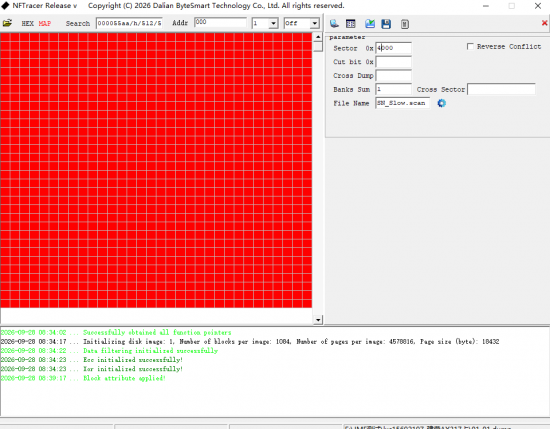
Step 2. Perform Sector Sorting
Once block‑attribute configuration is completed, run sector‑sorting directly without additional manual intervention.
Attachment:
 928-5.png [ 38.67 KiB | Viewed 224 times ]
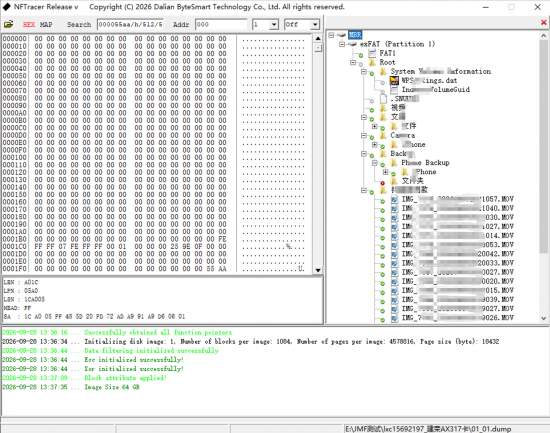
Recovery ResultUpon completion of sorting, nearly all directory structures and files are parsed correctly. Video files can be played directly without errors, marking a substantial improvement in recovery quality.
Attachment:
 928-6.png [ 776.63 KiB | Viewed 224 times ]
The dedicated recovery feature for JmSD will be released in the next update of NFT. Stay tuned.



 FAQ
FAQ Search
 Login
Login Register
 HDDGURU FILES