| HDD GURU FORUMS http://forum.hddguru.com/ |
|
| PC 3000 UDMA installation problem http://forum.hddguru.com/viewtopic.php?f=11&t=45415 |
Page 1 of 1 |
| Author: | lcoughey [ June 21st, 2025, 6:19 ] |
| Post subject: | Re: PC 3000 UDMA installation problem |
Reach out to ACE tech support. |
|
| Author: | Recover-IT [ June 21st, 2025, 6:27 ] |
| Post subject: | Re: PC 3000 UDMA installation problem |
lcoughey wrote: Reach out to ACE tech support. support outdated long ago! |
|
| Author: | digisupport [ June 21st, 2025, 8:24 ] |
| Post subject: | Re: PC 3000 UDMA installation problem |
Has it been working fine on that computer before? Maybe check your chipset drivers, as there is also an SM Bus Controller error reported. Additionally, try resetting the PCIe settings to default in the BIOS. |
|
| Author: | Recover-IT [ June 21st, 2025, 10:23 ] |
| Post subject: | Re: PC 3000 UDMA installation problem |
Recover-IT wrote: Has it been working fine on that computer before? No for another PC |
|
| Author: | michael chiklis [ June 22nd, 2025, 6:48 ] |
| Post subject: | Re: PC 3000 UDMA installation problem |
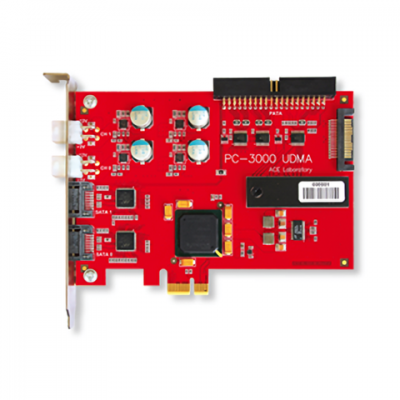
You've this one with short PCI slot, right? ![]() i've same issue with my mrt when i disconnect all PCI cards and peripherals from the PC to do maintenance. Then after i reconnect all the peripherals, including the mrt card, it gives me the same problems such as card identification error or incorrect serial number. This happens especially when i attach MRT card on PCIe x1 slot, this because it is mechanically very instable, but when i connect it to PCIe x16 slot it is much more stable. Once the card is properly inserted into the PCIe slot (check it by opening pc3k sw), lock it with the screw. Often this is another issue due to poor quality PC cases, this means that pc3k udma/mrt cards may seem a little crooked from the back side of the PC and the screw it will not help (or it can make it worse if you tight hard) because the card would not get aligned properly. If this happens, you might want considering locking the metal bracket of your pc3k card (all your pcie cards) to your pc case with this type of vertical bracker instead using the typycal screw that locks the card bracker to pc case. That black vertical bracker with two screw on top and bottom worked very well for me. I suggest also to clean you pcie slots and pc3k contacts. |
|
| Author: | Recover-IT [ June 23rd, 2025, 7:43 ] |
| Post subject: | Re: PC 3000 UDMA installation problem |
Many thanks @michael chiklis, @digisupport and everyone tried to help. Problem solved The issue was due to OS. Seemingly the PC-3K may have problem with win 11, once I installed it on Win10 it worked properly. |
|
| Page 1 of 1 | All times are UTC - 5 hours [ DST ] |
| Powered by phpBB © 2000, 2002, 2005, 2007 phpBB Group http://www.phpbb.com/ |
|