| HDD GURU FORUMS http://forum.hddguru.com/ |
|
| How can I restore APM (Apple Partition Map) to my disk again http://forum.hddguru.com/viewtopic.php?f=7&t=39368 |
Page 1 of 1 |
| Author: | pilgrimage [ January 16th, 2020, 8:35 ] |
| Post subject: | How can I restore APM (Apple Partition Map) to my disk again |
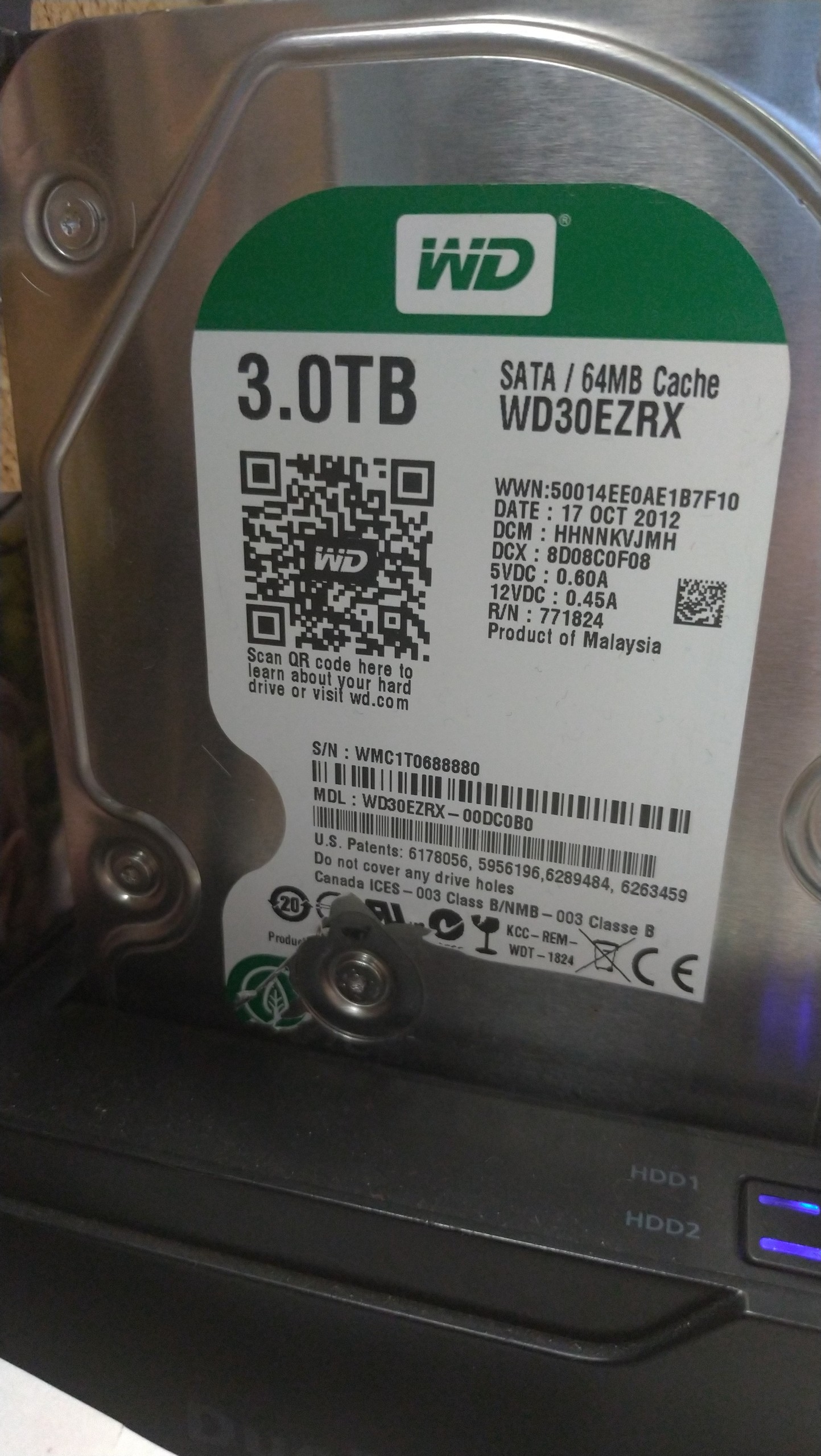
I wanted to access my HFS Journaled WD 3TB My Book Studio drive from Windows using Macdrive. He wrote a Master Boot Record (MBR) on APM (Apple Partiton Map) with a big mistake and, unfortunately, stupidly, and all partition information disappeared. I can't get my information right now. But I believe my knowledge is there. As a result of long research of the Internet with the test disk and disk features and information by accessing the mac via pdisk command to create APM again and as a result of this data recovery software can be reached when I insert a disk into my Mac computer. And as a matter of fact, most people whom I now share the links below have solved the problem and seem to have reached their important data. However, my technical knowledge is low and my English is not enough to solve. I want to share my knowledge with my disk and I believe that one of you will bring me back to my photo archive of more than 600gb for 15 years. My problem is exactly the same as the following link; https://www.broes.nl/2008/01/restore-an ... ition-map/ Likewise, similar problems and solutions; https://perrohunter.com/repair-a-mac-os ... ion-table/ I told my story briefly, maybe I was too long, but I felt the need to share. The help I asked you is this; What exactly is the information requested below with the pdisk command? I did what I requested with the test disk but did not reach the successful results mentioned in the links with my disk. I think my problem is not correct because I cannot define the geometric structure of the disk correctly and the pdisk command does not work. From a Hero friend I need your help and guidance on how and where to find the correct geometric information of the Disc. My Hard Disk information; https://pasteboard.co/IQegD4O.png 3 TB WD30EZRX https://i.hizliresim.com/WXJ0p8.jpg Pdisk wants; A Physical block is 512 bytes: ?? A Logical block is 512 bytes: ?? size of 'device' is 0 blocks (512 bytes Block): ??? First Block: ?? Lenght in Blocks: ?? Name Of Partition: ?? |
|
| Author: | fzabkar [ January 16th, 2020, 14:01 ] |
| Post subject: | Re: How can I restore APM (Apple Partition Map) to my disk a |
Can you show us the Partitions window in DMDE? https://dmde.com/download.html |
|
| Author: | pilgrimage [ January 17th, 2020, 1:27 ] |
| Post subject: | Re: How can I restore APM (Apple Partition Map) to my disk a |
Thankyou for support. DMDE partition image; https://pasteboard.co/IQkYWe2.png |
|
| Author: | fzabkar [ January 17th, 2020, 15:52 ] |
| Post subject: | Re: How can I restore APM (Apple Partition Map) to my disk a |
The 802GB partition is symptomatic of a system with a 32-bit LBA limitation. Did you remove the drive from its enclosure and connect it directly to a SATA port in your computer? I am not familiar with Apple file systems, but ISTM that DMDE's quick partition scan has not found any remnants of your original partitioning. In the absence of better advice, I would clone your drive and then perform a full scan of the clone. |
|
| Author: | pilgrimage [ January 18th, 2020, 4:07 ] |
| Post subject: | Re: How can I restore APM (Apple Partition Map) to my disk a |
No Disk external Hard disk box connected by usb connection.Are you telling me to connect the sata with the sata to find it correct? Did I get right. |
|
| Author: | fzabkar [ January 19th, 2020, 15:18 ] |
| Post subject: | Re: How can I restore APM (Apple Partition Map) to my disk a |
pilgrimage wrote: No Disk external Hard disk box connected by usb connection.Are you telling me to connect the sata with the sata to find it correct? Did I get right. No. I was just trying to understand why a 3TB external drive would have an 802GB partition. The only time I've seen this is when there is a 32-bit LBA limitation in the enclosure's firmware, but DMDE is not reporting such a limitation. |
|
| Page 1 of 1 | All times are UTC - 5 hours [ DST ] |
| Powered by phpBB © 2000, 2002, 2005, 2007 phpBB Group http://www.phpbb.com/ |
|