Hi guys, I am new here and yes, sort of like a newbie with respect to HDD repairs, so please bear with me.
I have a Seagate 1TB external hard disk. Few months ago it crashed, and since i had the warranty i got it repaired by Seagate. It took 3 weeks for Seagate to repair it and yes, i was informed that all data inside the hard disk will be lost. so i got a clean drive back. All seemed well, so i started dumping my important data into the EHD, assuming that all will be well. (I am an idiot!)
With in few weeks it started to show problems. the symptoms were like this:
1.) it always get recognized by the computer, but when trying to access a movie that's stored in the drive, the light of the EHD flashes as if it is waiting to read the data and after sometime, it reads it. Now while playing the movie directly from EHD, this delay appears as if it is buffering. So instead of watching a movie directly from EHD, i used to dump it in my computers internal hard disk and see it from there. if it is a small file (like a picture or a document), i can run it from EHD itself, but if it is a large file like a movie or something, i have to dump it in my internal hard disk. This continued for a while and i thought i can survive like that.
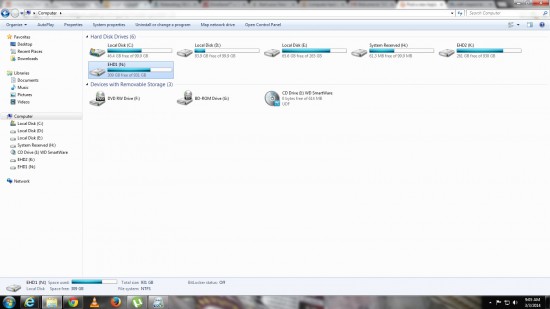
2.) Then all of a sudden about two weeks ago the problem escalated and since then its remained so until now. now when i plug it in to the computer, it reads the EHD, even shows that it has about 309gb free of the 931gb (see attachment 1.jpg)
Attachment:
File comment: The EHD in question is EHD1...it shows the available space as well.
 1.jpg [ 175.83 KiB | Viewed 5737 times ]
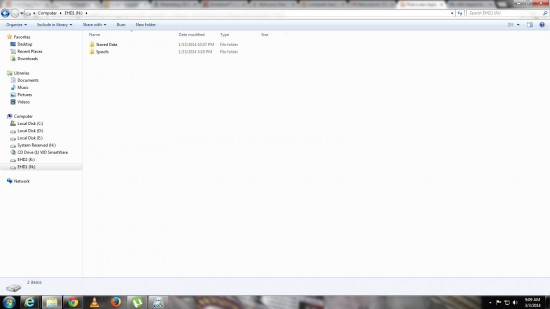
, but when i try to enter the folders inside(see attachment 2.jpg)
Attachment:
File comment: This is the first level of folders inside it... even these are accessible.
 2.jpg [ 121.6 KiB | Viewed 5737 times ]
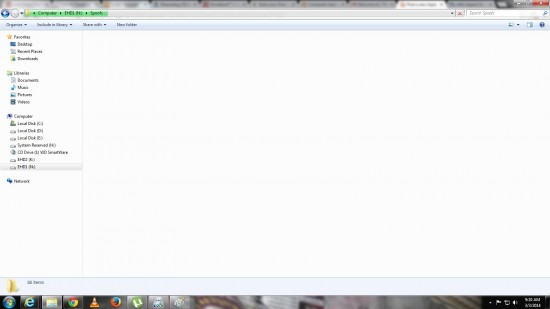
, the light of the EHD starts to flash and the windows explorer appears as if it is trying to read the data (see attachment 3.jpg)
Attachment:
File comment: And if i try to enter either of these folders, this is what happens... see the green line at the address bar, its as if its trying to read, but it will file the entire bar green and nothing will happen.
 3.jpg [ 116.89 KiB | Viewed 5737 times ]
, but no response from the EHD. I will wait for a long time and then when i close that window and open a new window to enter the EHD once again, it will not show anything, not even that it has 309gb free of 931gb.
I dont want to give it for Seagate servicing again, because i will loose all my data which i dont want to.
WHAT I DID: now this is why i said i am sort of a newbie.

After Googling, i have come to understand that EHD has an adapter and a hard disk and mostly the adapter might have gone bad. So using videos on youtube, i was able to open my EHD and was able to identify that the adapter is working fine, even when i connect the Hard disk to a different SATA adapter, its giving the same results (i.e., loosing readability as soon as i try to access the files within). Also when i connect my spare laptops harddisk to my adapter and connect it to my PC, it is reading it properly. So I can say for sure the problem is with my hard disk in EHD.
Again after Googling, i have come to understand that hard disk failure could be either physical or logical or both. Because for the first 3-5 secs i am able to read it properly, i am thinking its a logical issue but i cant use a data recovery software from windows, because windows doesn't recognize it for more than 10 secs.
Now I am not sure what to do, please help.



 FAQ
FAQ Search
 Login
Login Register
 HDDGURU FILES


