Hello Gurus,
I apologize for any mistakes or shortcomings in advance.
[I had a laptop 14 years ago approximately (a macbook A1342, the white unibody case from 2010 -sorry for apple haters

)
I upgraded it with a 2nd hardrive :
a crucial MX300 275 gb (at this time you could easily add a 2nd hardrive by swapping it with the CD-DVD Drive) in 2017 approximately.
Everything worked fine : I installed the OS on the crucial SSD and put it in the place of the original HDD (that I put in the "CD-DVDAdapter"), I was proud of myself.
Until in 2018 approximately the macbook stopped working showing the "question mark folder" at boot up. I was not very careful at this time and I though it was the flat cable connecting the drive that was faulty, the piece costed 40 € and as a student I decided to wait because it was too expensive for a 8 years old macbook.
A few months later I bought a mac pro (entreprise second hand from 2012) and installed the ssd on a SATA-slot but nothing happened, I though it was some kind of apple security (between different OS's) that didn't allow the reading of the ssd data. I wasn't really in a hurry because I though i backed up all the important data on the original HDD (a Hitachi 5K500 B250 TS5SAA250)
So time went by and 2 years ago I broke the Hitachi drive (I was trying to inspect "the insides" and messed up the head opening it), I though everything was done at this point but searching the web I discovered the world of data recovery which led me to this great forum !]
This was a long intro,
The things I tried with the MX300 SSD :
1) Connecting to various OS (macos monterey, macos catalina, ubuntu, kali and windows 10) with SATA-Usb Adapter -> nothing showed up, led from the adapter are lightning still as if nothing was plugged in.
2) Connecting to dell optiplex BIOS -> nothing showed up, Data slot empty on the BIOS
3) Trying to "unfreeze" the firmware with the "1-5 hours power cycle" method that I found on the web (Plug in the SATA power cable only on the dell pc, Boot on BIOS, Wait a couple hours, Try to connect the drive, Repeat 3 times) -> nothing showed up but I could feel the PCB was getting slightly warm.
That created some hope
I inspected the PCB but everything looked fine (beside once again I'm a noob, the circuits are shiny, no sign of oxydation) and I read the [
Crucial MX300 - No SATA connection] topic from
outbreak198x and
fzabkar. [https://forum.hddguru.com/viewtopic.php?f=10&t=42258&hilit=mx300]
And today I realized that the "MOSFETLoadSwitch" of my PCB looked pretty melted comparing with the ones on fzabkar pictures.
I tried to find good resolution pictures of the MX300 250gb PCB and datasheets but I just found blurry ones.
So this is what it looks like on mine :
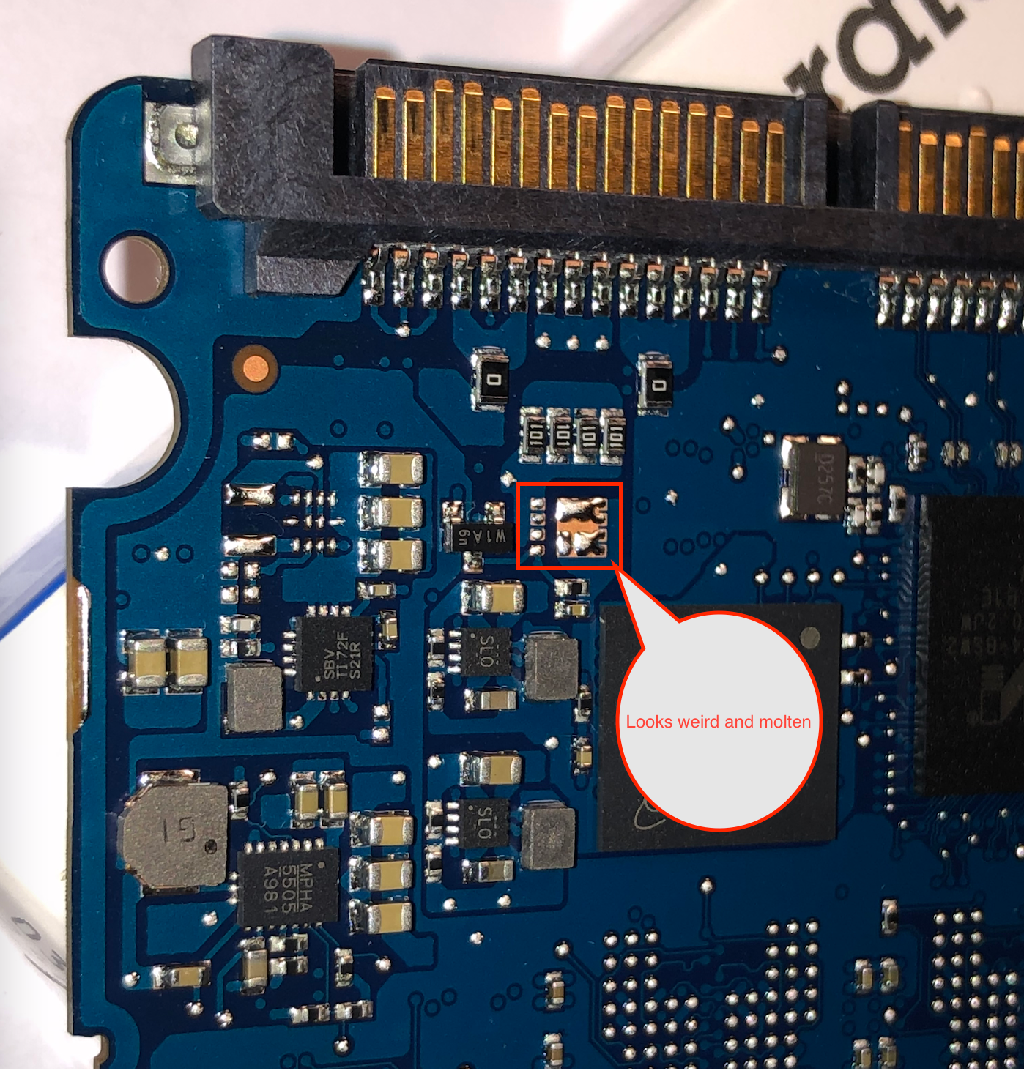
And by inspecting it closely I found this other MOSFET soldering (i think) to be suspicious :
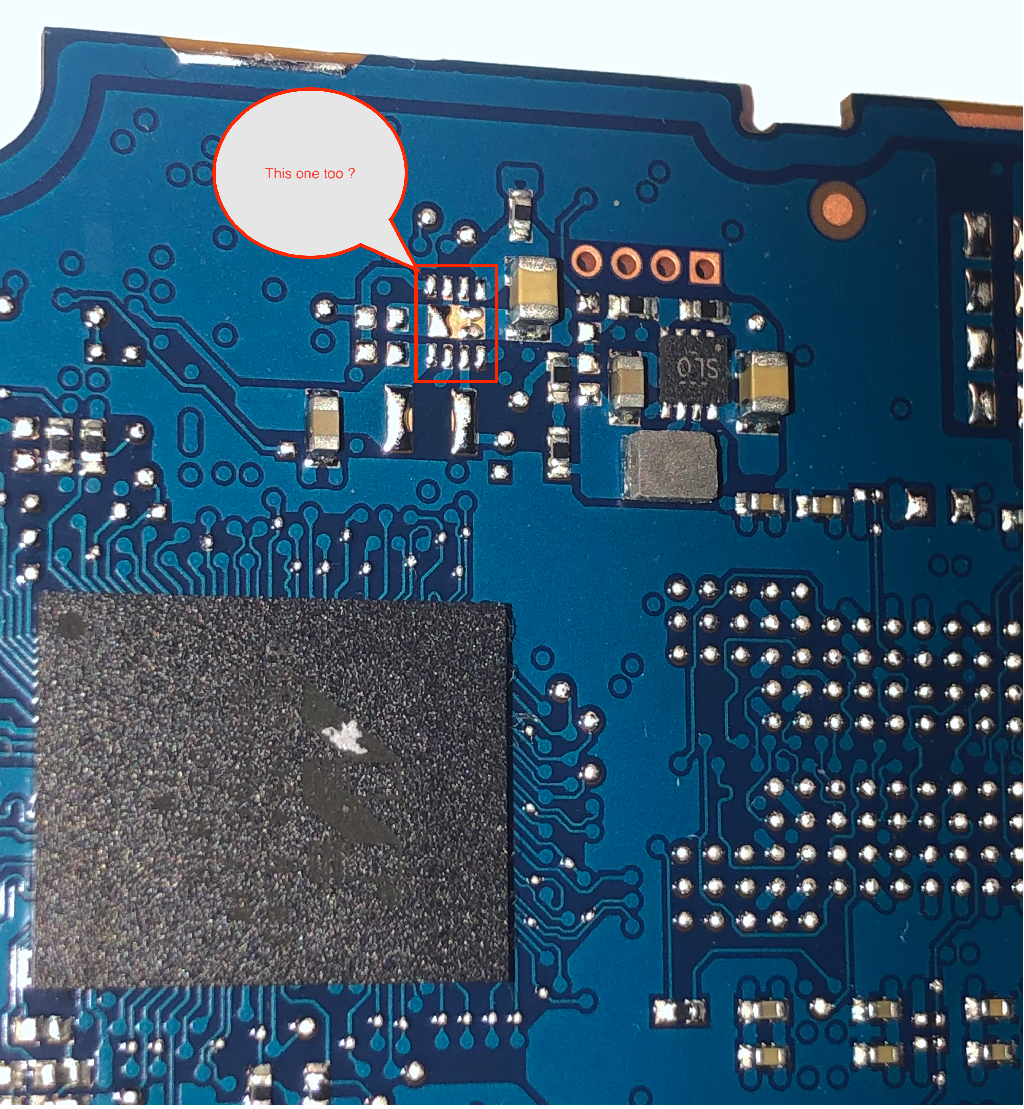
These are the top and bottom of the PCB :
Top :

-> I'm not sure which components could be involved and I didn't found the SSD datasheet on the web, outbreak198x and fzabkar topic is the most detailled thing I got into

Bottom :
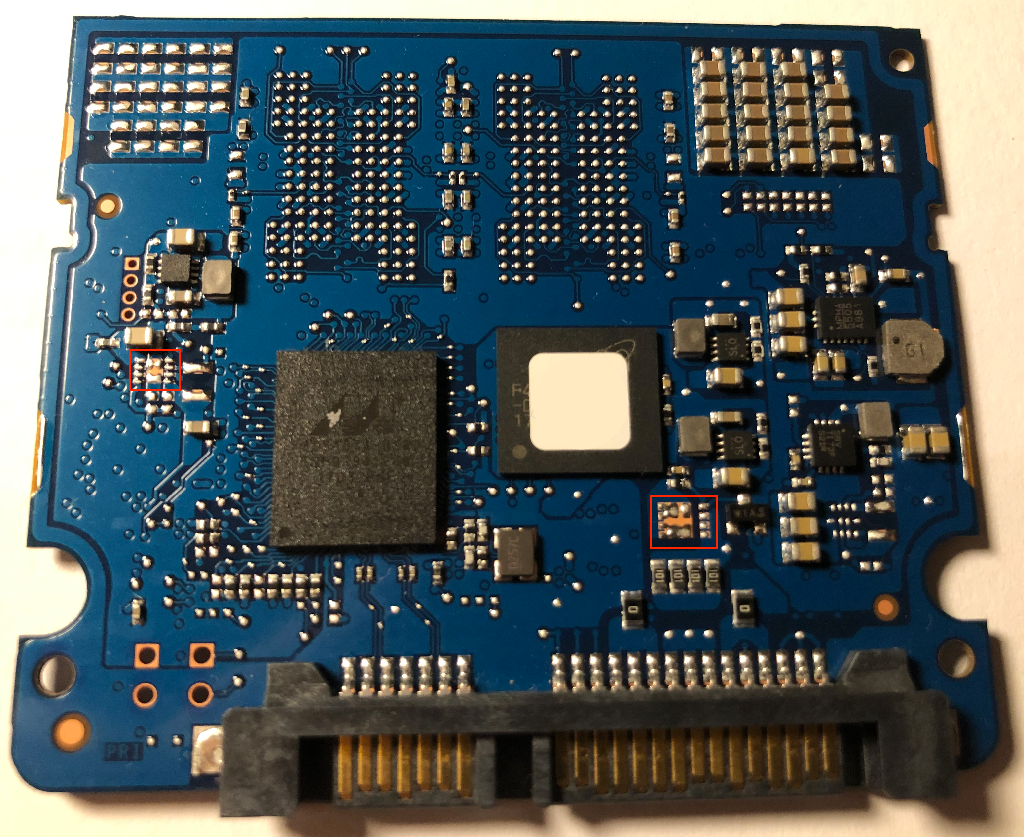
So my question is :
What do you think of the pictures and my observation ?
What would you advise (go directly to a recovery lab
-I'm afraid of the budget tho- ? fix it myself
-afraid of the budget too because no tools for now-?) ?
Sorry for this long post I apologize for the mistakes again



 FAQ
FAQ Search
 Login
Login Register
 HDDGURU FILES


