MultiDrive – free backup, clone & wipe disk utility from Atola Technology

All times are UTC - 5 hours [ DST ]


Post new topic Reply to topic  [ 5 posts ] 
Author Message
 Post subject: maxtor sata write cache disabled
PostPosted: January 22nd, 2007, 18:31 
Offline

Joined: January 22nd, 2007, 18:13
Posts: 7
Hello,

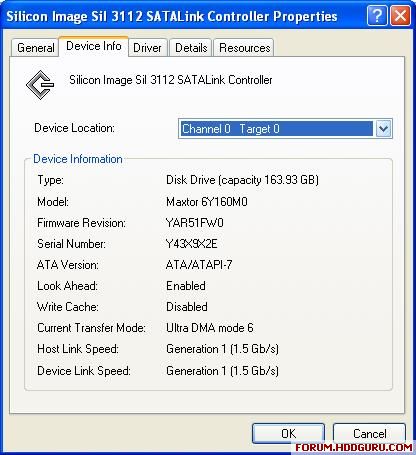
Anyone know how to enable write caching on my drive? (please see attached picture for info)

Image

Thank you in advance.


Top
 Profile  
 
 Post subject:
PostPosted: January 23rd, 2007, 14:47 
Offline

Joined: June 27th, 2006, 11:33
Posts: 2288
Location: In ur HDD !
What is the purpose of enabling the write cache option ?


Top
 Profile  
 
 Post subject:
PostPosted: January 23rd, 2007, 22:21 
Offline

Joined: January 4th, 2007, 22:50
Posts: 20
Location: Seal Beach, CA
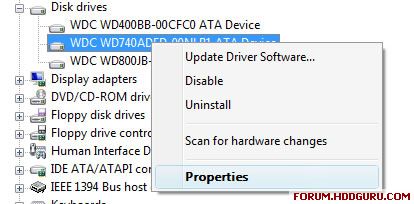
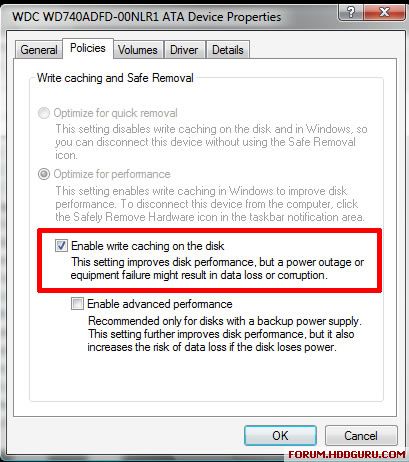
Try going into the drive properties within the device manager, not the controller card.

Image
Image


Top
 Profile  
 
 Post subject:
PostPosted: January 24th, 2007, 2:48 
Offline

Joined: January 22nd, 2007, 18:13
Posts: 7
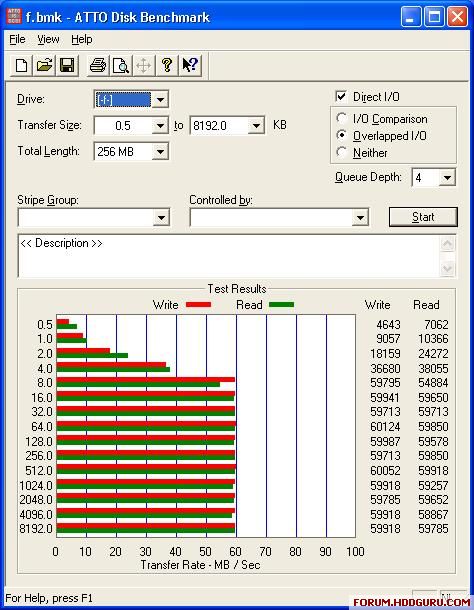
rameez Write caching will enable my hard disk to use its 8MB cache which is currently disabled.
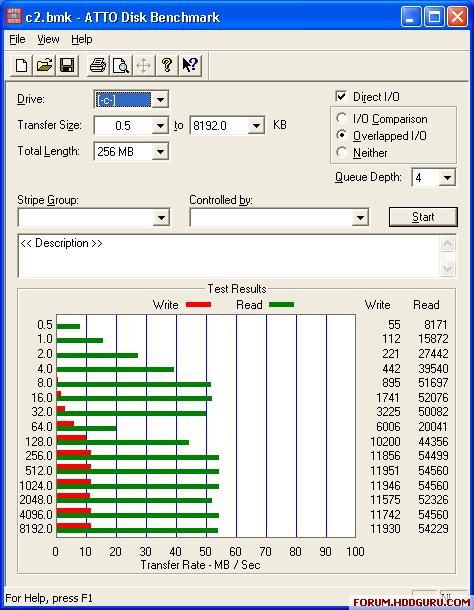
I have a Seagate drive on the same computer with its cache enabled and run ATTO drive benchmark.
Maxtor is unusable (~10MB/s max write)
Image

Image

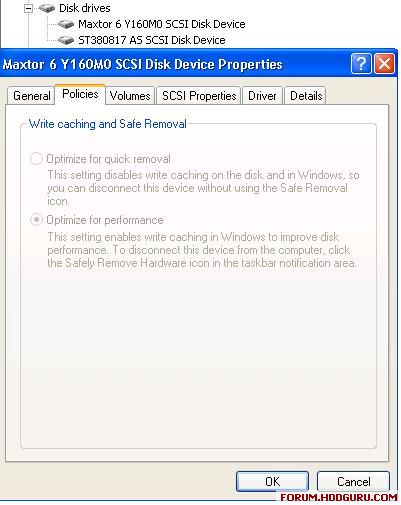
bsnyder that works for ATA drives not SATA take a look below:
Image

Write cache disabled is not a windows issue as when I boot with Hitachi Ftool it reports the Maxtor as Write Cache: Disabled. I can enable the cache exit the program re-enter the program and it still reads enabled. As soon as I restart it is disabled again. The same goes for Read Ahead although that is Enabled on my drive.

Ftool had some use though, I could enable AAM for the maxtor which made it whisper quiet but seek time went through the roof, from 13ms to 19ms, according to HDTach Benchmark so I disabled AAM.


Top
 Profile  
 
 Post subject:
PostPosted: January 24th, 2007, 8:38 
Offline

Joined: December 10th, 2006, 18:24
Posts: 72
It does work for SATA drives but not, if they are handled through a proprietary driver that interprets SATA drives as SCSI (as in your case).

Regards
weaker


Top
 Profile  
 
Display posts from previous:  Sort by  
Post new topic Reply to topic  [ 5 posts ] 

All times are UTC - 5 hours [ DST ]


Who is online

Users browsing this forum: No registered users and 125 guests


You cannot post new topics in this forum
You cannot reply to topics in this forum
You cannot edit your posts in this forum
You cannot delete your posts in this forum
You cannot post attachments in this forum

Search for:
Jump to:  
Powered by phpBB © 2000, 2002, 2005, 2007 phpBB Group