Hi everyone,
I’m stuck trying to recover and reset a Samsung OEM NVMe SSD, and I’d really appreciate some guidance from the experts here.
some hardware context
- SSD model: Samsung MZVL22T0HBLB-00BH7 (2TB, OEM NVMe drive)
- System it came from: HP Z4 G4 Workstation (workstation-class desktop, running Windows 10/11 originally)
The drive was pulled from the HP system, shows up as BitLocker encrypted when connected to any other machine, and is currently not writable, not format-able
In
Windows Disk Management, the drive shows up but “
Format” is
greyed out.
Tried
DiskPart →
clean, but it errors out with
cyclic redundancy check.
SMART health looks GOOD, but the drive is effectively locked.
Now the things i have already tried are
1. Samsung DC Toolkit (Windows + Linux)
On Windows, DC Toolkit detects the drive but won’t allow erase.
AND
On Linux (Ubuntu Live USB, DC Toolkit v2.1), the drive is listed with --list.
you can see the attached photo here as well
Attachment:
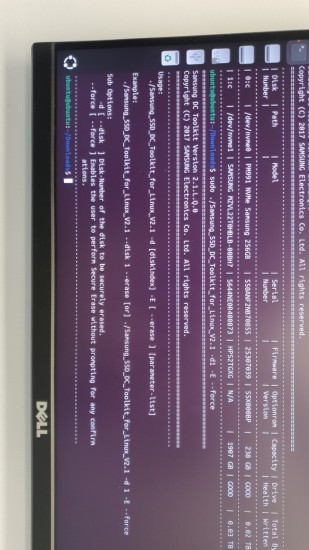 List of HDDs.jpg [ 279.39 KiB | Viewed 15956 times ]
But when I run erase commands
I always get “Provide a proper disk number” or syntax errors.
Attachment:
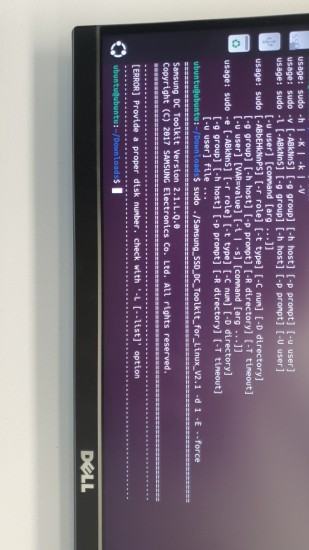 proper Disk number.jpg [ 248.98 KiB | Viewed 15956 times ]
now i check online forums as well and for some reason people have used # in the command for indicating a number i mean for example
Attachment:
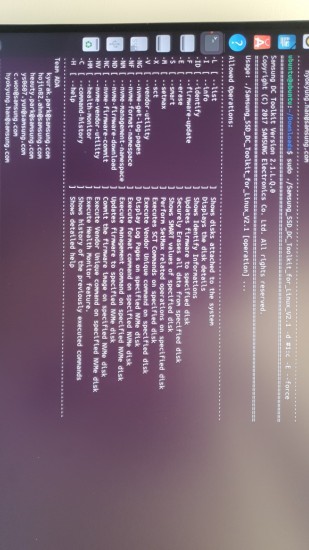 command with HAsh.jpg [ 288.71 KiB | Viewed 15956 times ]
i have already reverted it using the PSID i think but no idea what to do next, or even if i did it correctly.
Attachment:
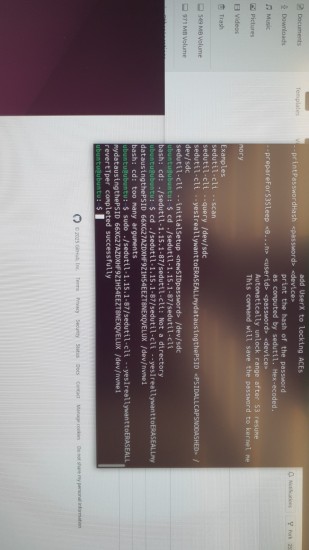 psid revert.jpg [ 255.12 KiB | Viewed 15956 times ]
ANY help would be appreciated. i do still have a system similar to the one i pulled it off from. been trying to solve this for almost a week now. if i missed any crucial detail just ask i have shit ton of commands i ran to get a response.
THANK YOU



 FAQ
FAQ Search
 Login
Login Register
 HDDGURU FILES